

Dashboard
Your home base. The Dashboard shows your stipend protection status at a glance — how much you’ve protected this year, what needs attention, and when to visit your tax home.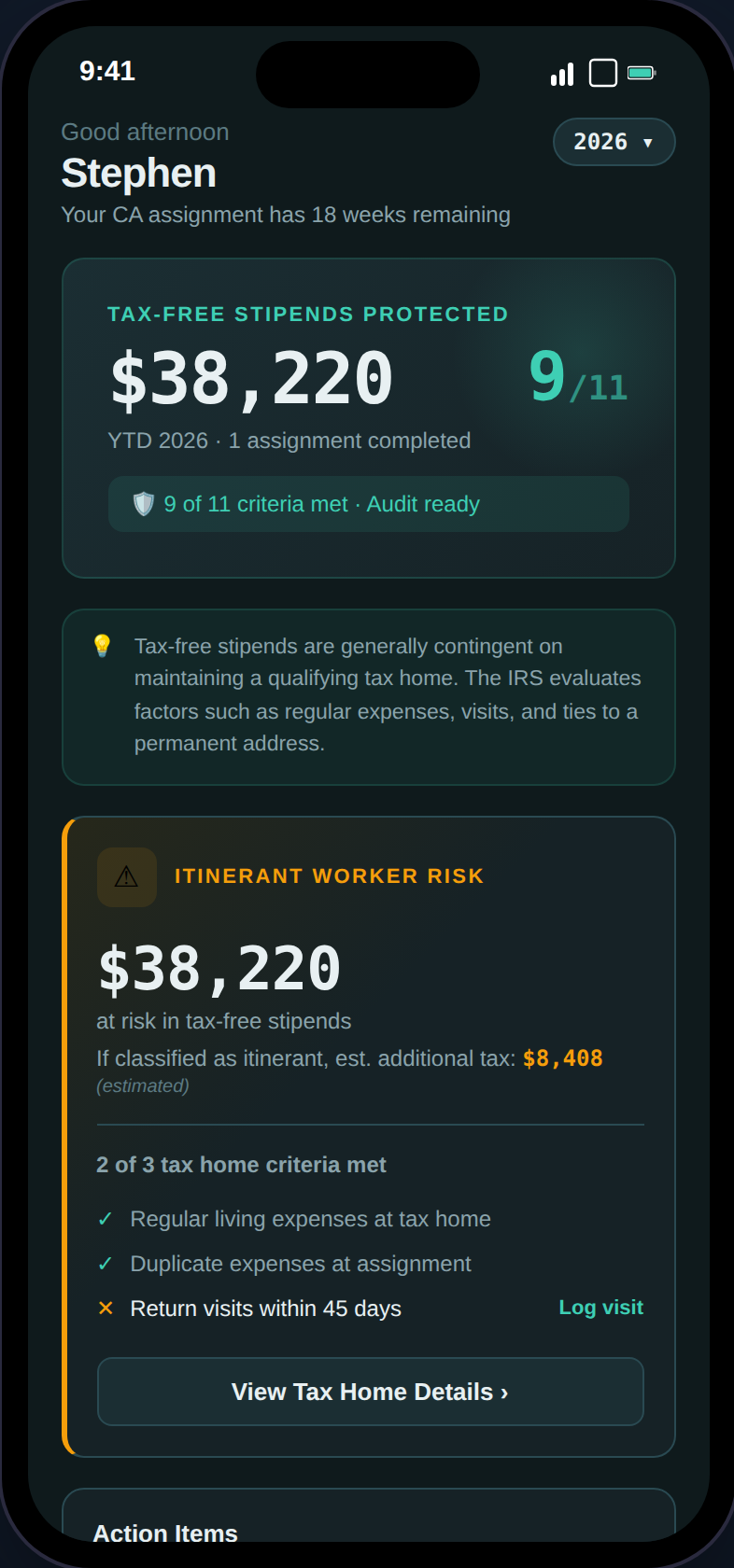
The Dashboard shows your YTD stipend total, audit readiness score, compliance alerts, and financial summary.
- Stipend Protection Banner — YTD tax-free stipends with your audit readiness score (X/100)
- Action Items — Compliance alerts sorted by urgency (overdue visits, missing docs, GSA exceedances)
- Visit Tracker — Days since your last tax home visit with color-coded status
- YTD Financial Summary — Taxable income, tax-free stipends, expenses, and estimated take-home
- Tax Filing Preview — Expected W-2/1099 documents and state returns at a glance
Tax Home
The most important page in the app. Your tax home status determines whether your stipends are tax-free or fully taxable.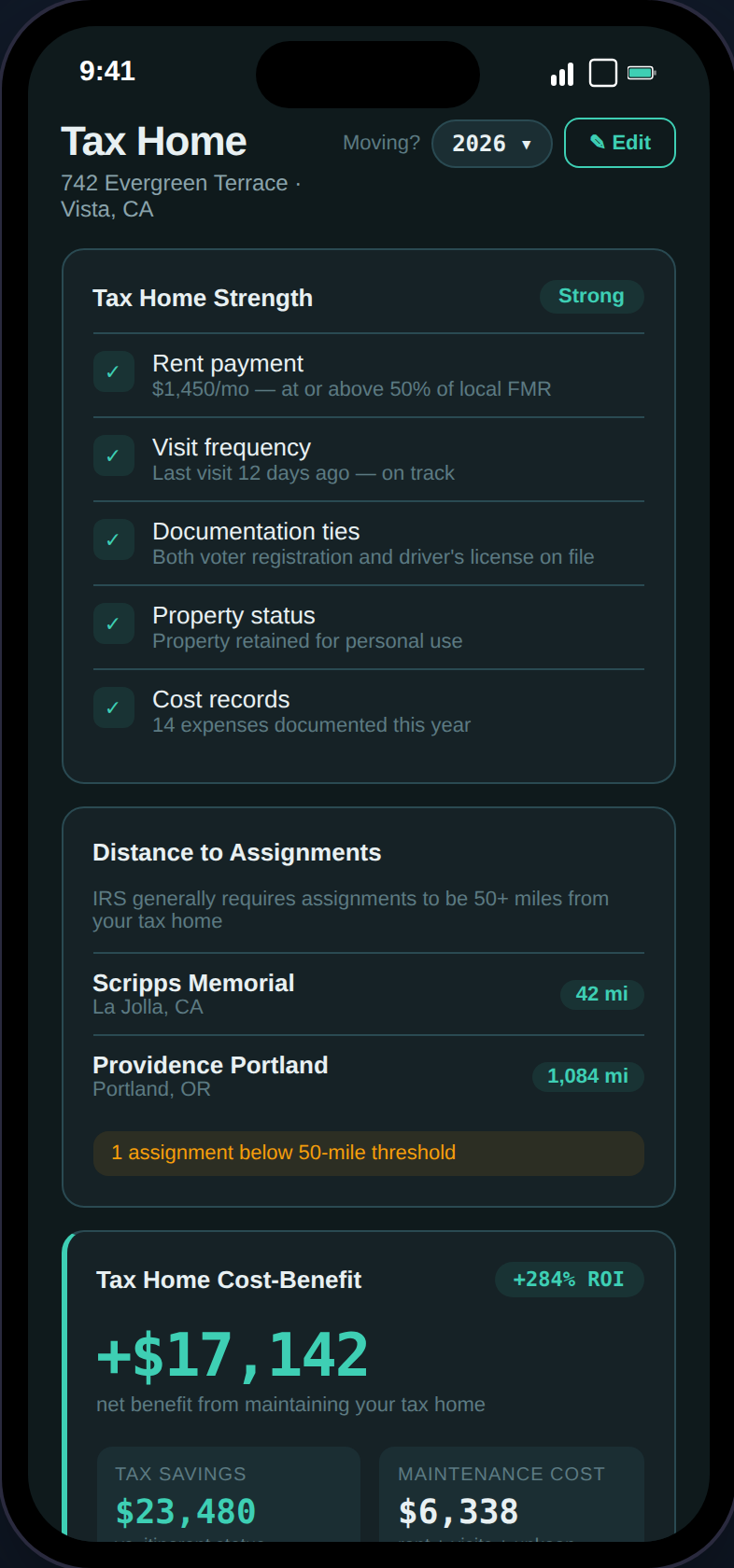
Tax Home Strength score, distance checker, and cost-benefit analysis tell you exactly where you stand.
- Strength Score — Five factors rated Strong / Moderate / At Risk (rent, visits, documentation ties, property status, cost records)
- Distance Checker — Verifies each assignment is 50+ miles from your tax home (IRS threshold)
- Cost-Benefit Analysis — Is maintaining your tax home worth it? Shows net benefit and ROI percentage
- Stipend Eligibility — 6-criteria IRS checklist with pass/fail and financial exposure when at risk
- Abandonment Alerts — Warns when risk conditions are detected with direct action buttons
- Document Uploads — Lease agreements, utility bills, and other supporting evidence
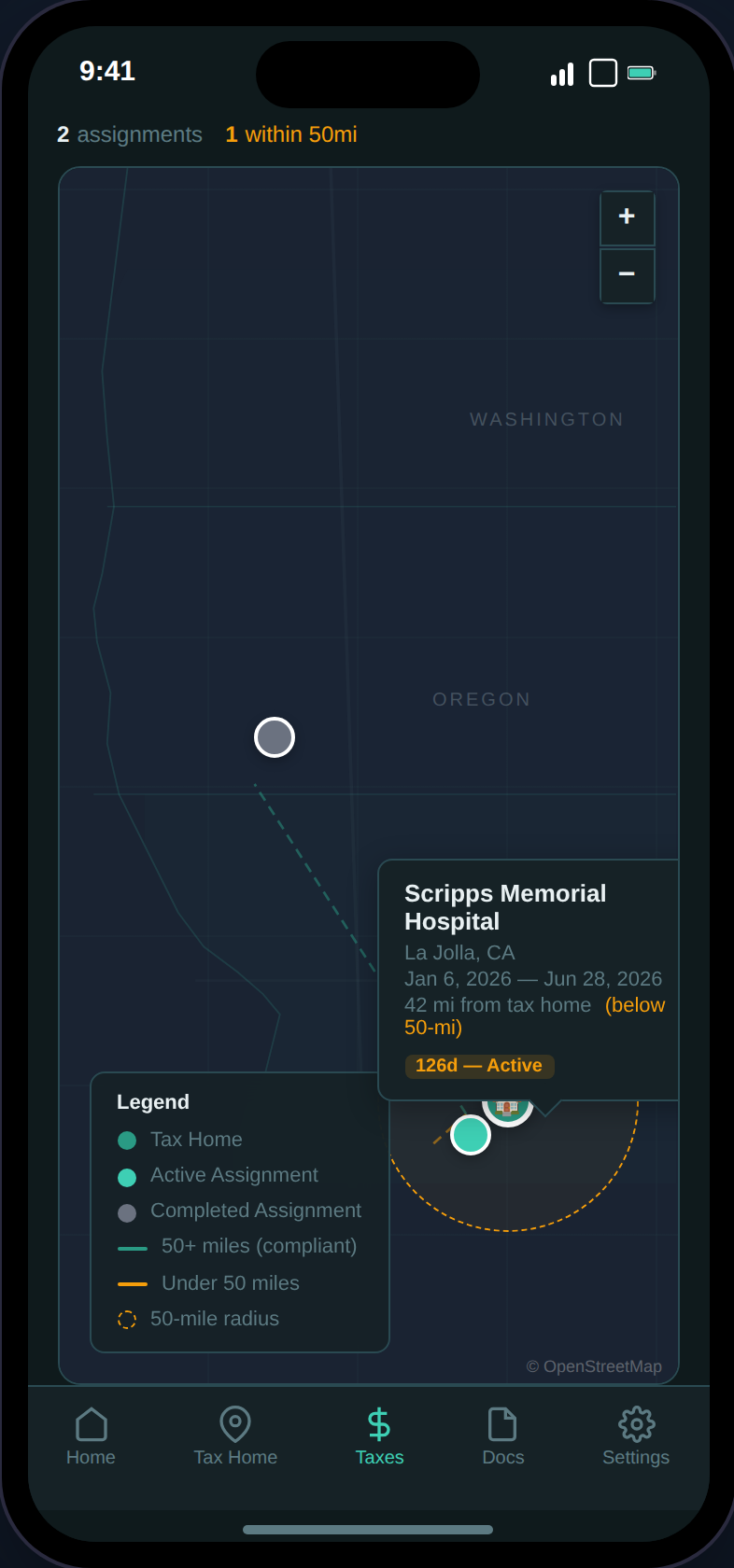
The interactive map shows your tax home with a distance threshold circle (~50mi industry benchmark) and distance lines to each assignment.
Assignments
Track every contract with automatic compliance checks. Switch between a card list and a Gantt-style timeline view.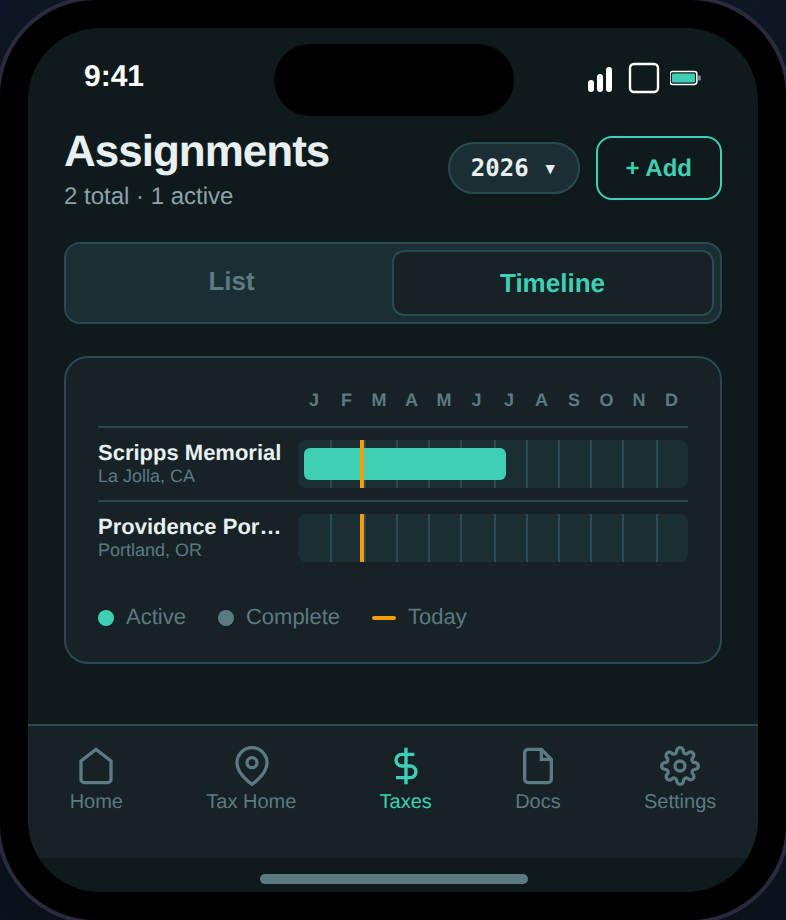
The timeline view shows all assignments across the year with today marker and 12-month rule badges.
- Compensation Breakdown — Base pay, housing stipend, M&IE, bonuses
- GSA Per Diem Compliance — Your stipends vs. IRS/GSA limits (daily rates)
- Housing Adequacy — Agency stipend vs. local rent (FMR estimate)
- Stipend Defense Check — 7-criteria evaluation of whether your stipends are defensible
- Net Profitability — Gross compensation minus taxes and linked expenses
- Housing vs. Stipend Calculator — Take the cash or accept agency housing?
- 12-Month Rule Badge — Warns when an assignment approaches or exceeds the IRS limit
- AI Contract Scanning — Upload a PDF and auto-extract all 12 fields
Expenses
Track deductible work expenses with receipt scanning, category tagging, and bulk CSV import.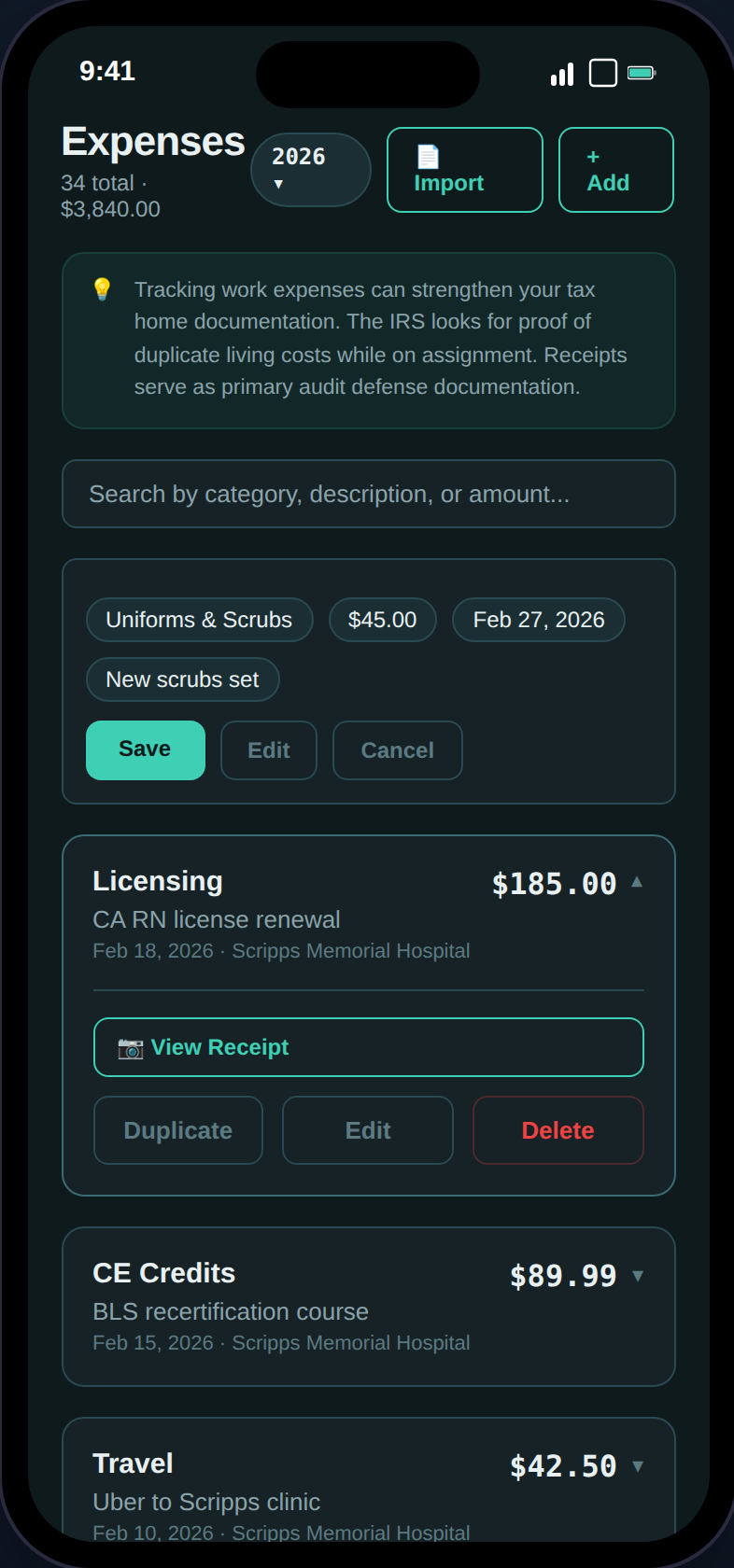
Expense list with categories, receipt attachments, and inline editing.
Receipt Scanning
Receipt Scanning
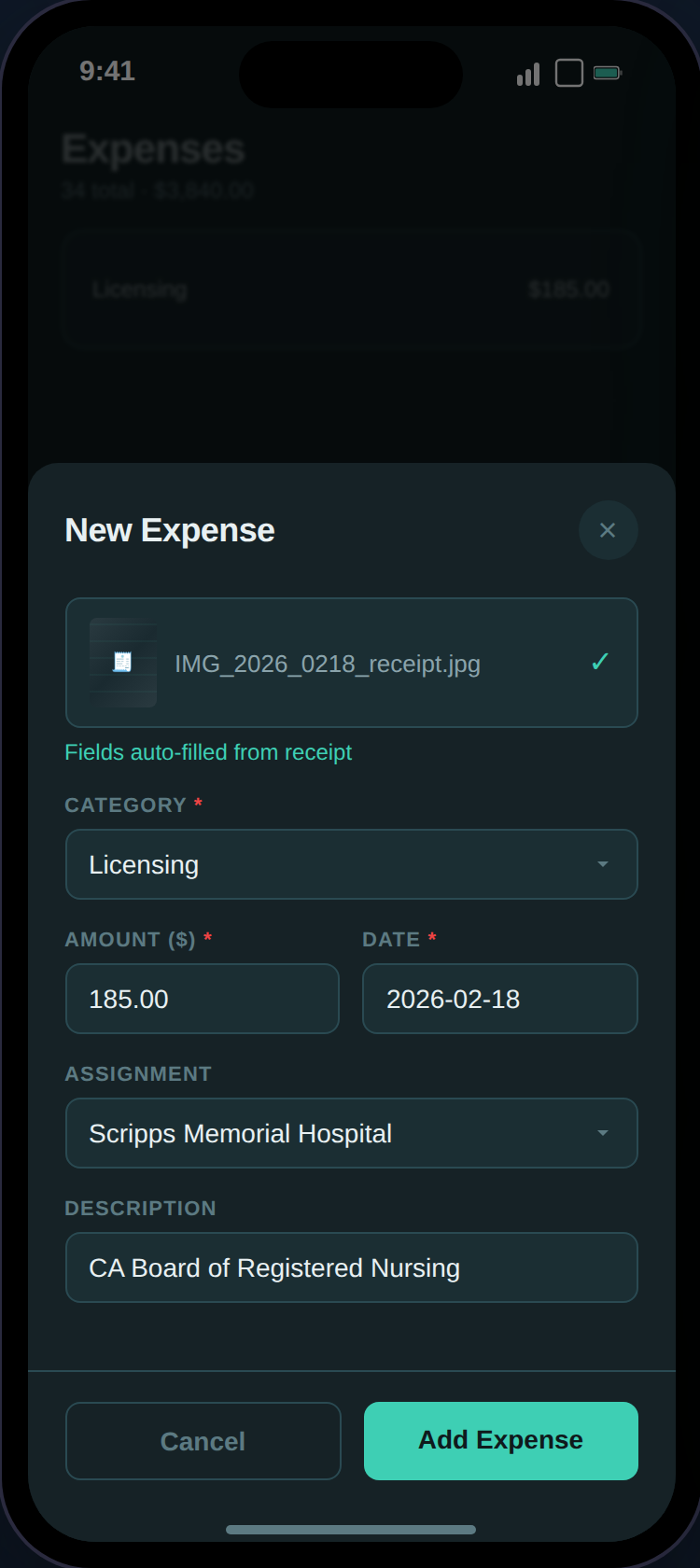
Scanning a receipt auto-fills amount, date, vendor, and category suggestion.
CSV Import
CSV Import
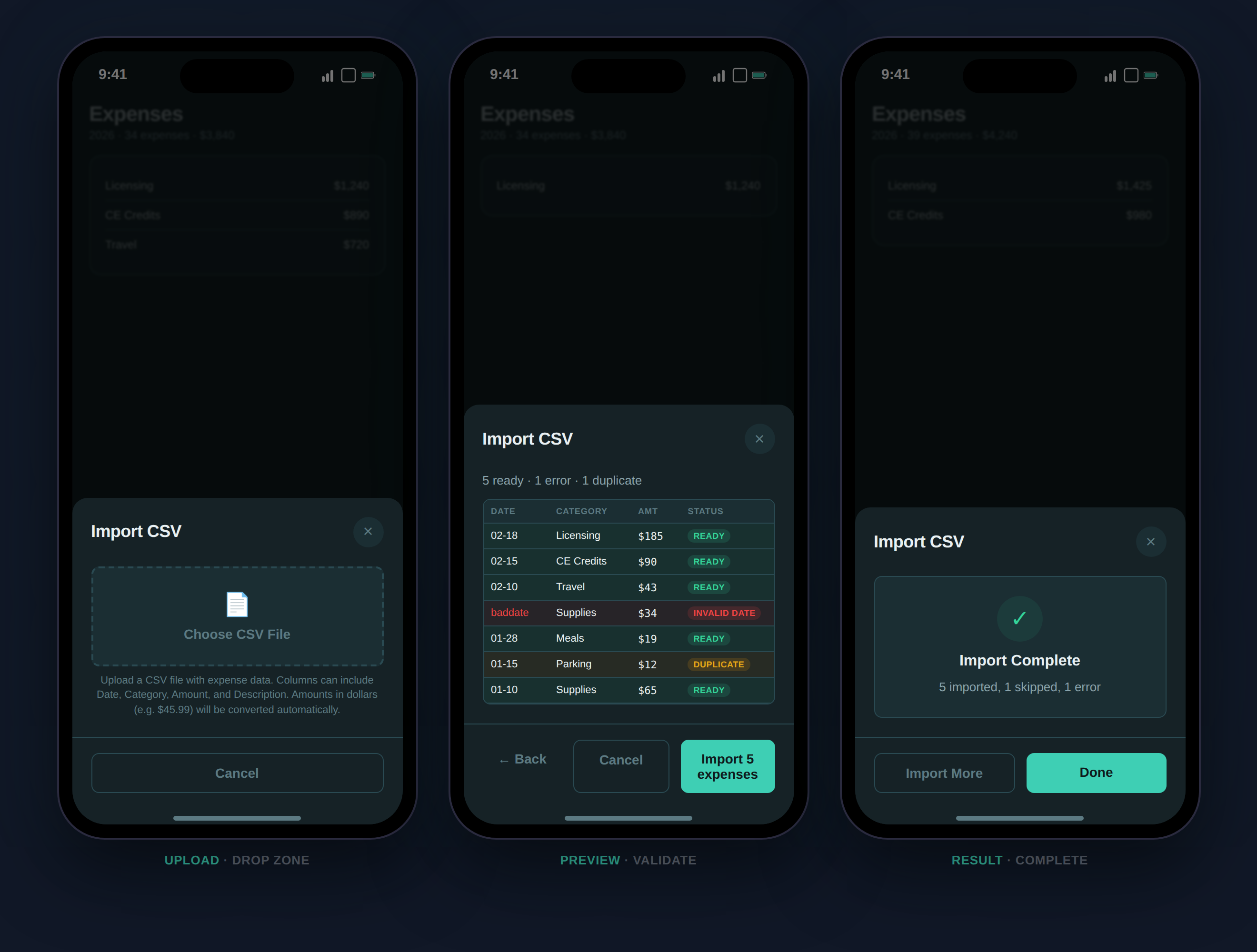
Three-stage CSV import: upload, preview with duplicate detection, and results.
Expense Reports
Analyze spending by month, by assignment, and year-over-year. Includes receipt substantiation tracking for IRS compliance.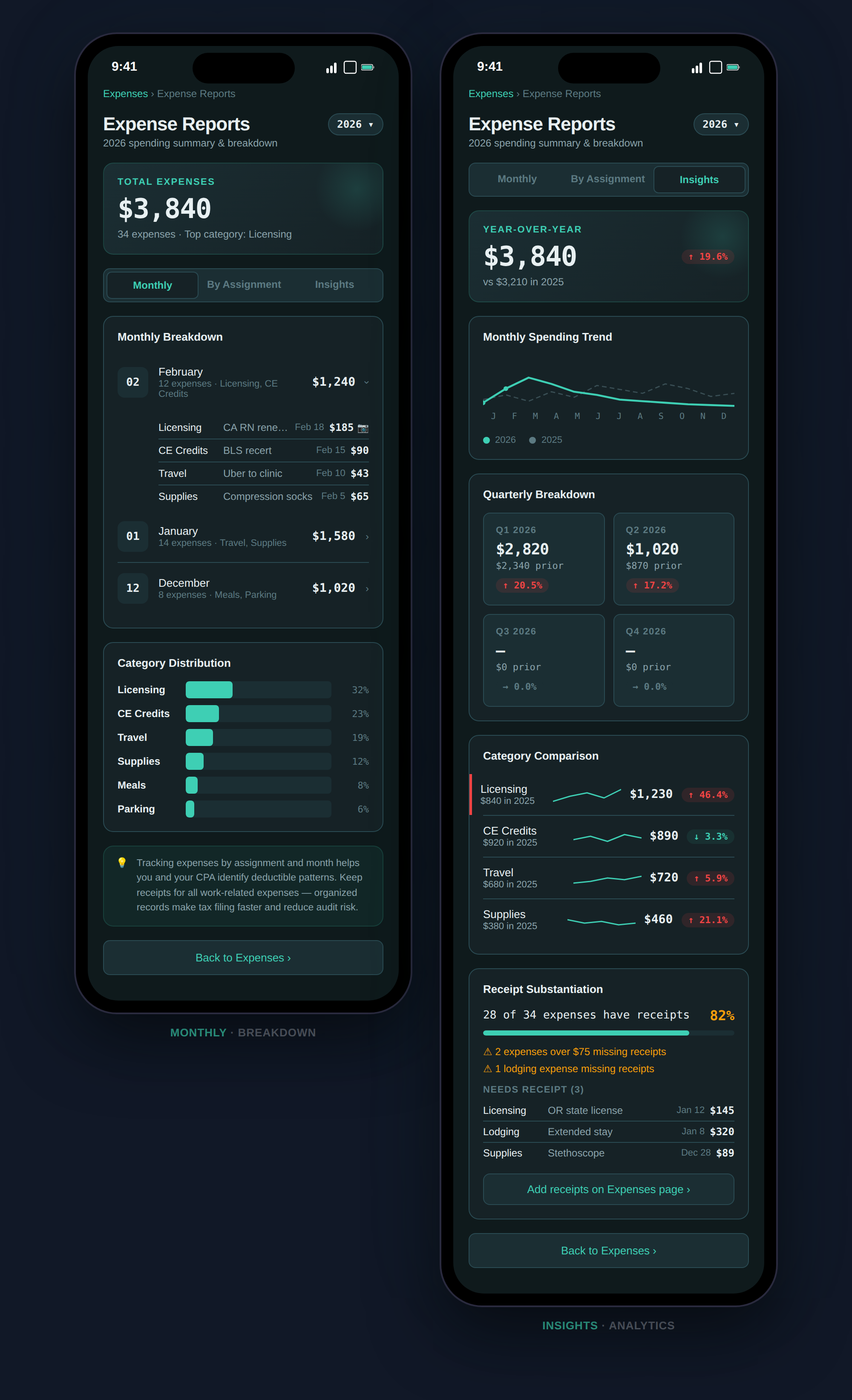
Monthly breakdown and YoY insights with spending trends and category analysis.
- Monthly — Expenses grouped by month with category distribution bars
- By Assignment — Expenses linked to each contract
- Insights — Year-over-year spending trends, quarterly breakdown, category changes, and flags for 10%+ increases
Mileage
Log work-related trips with IRS standard mileage rates. Every trip contributes to your deduction total.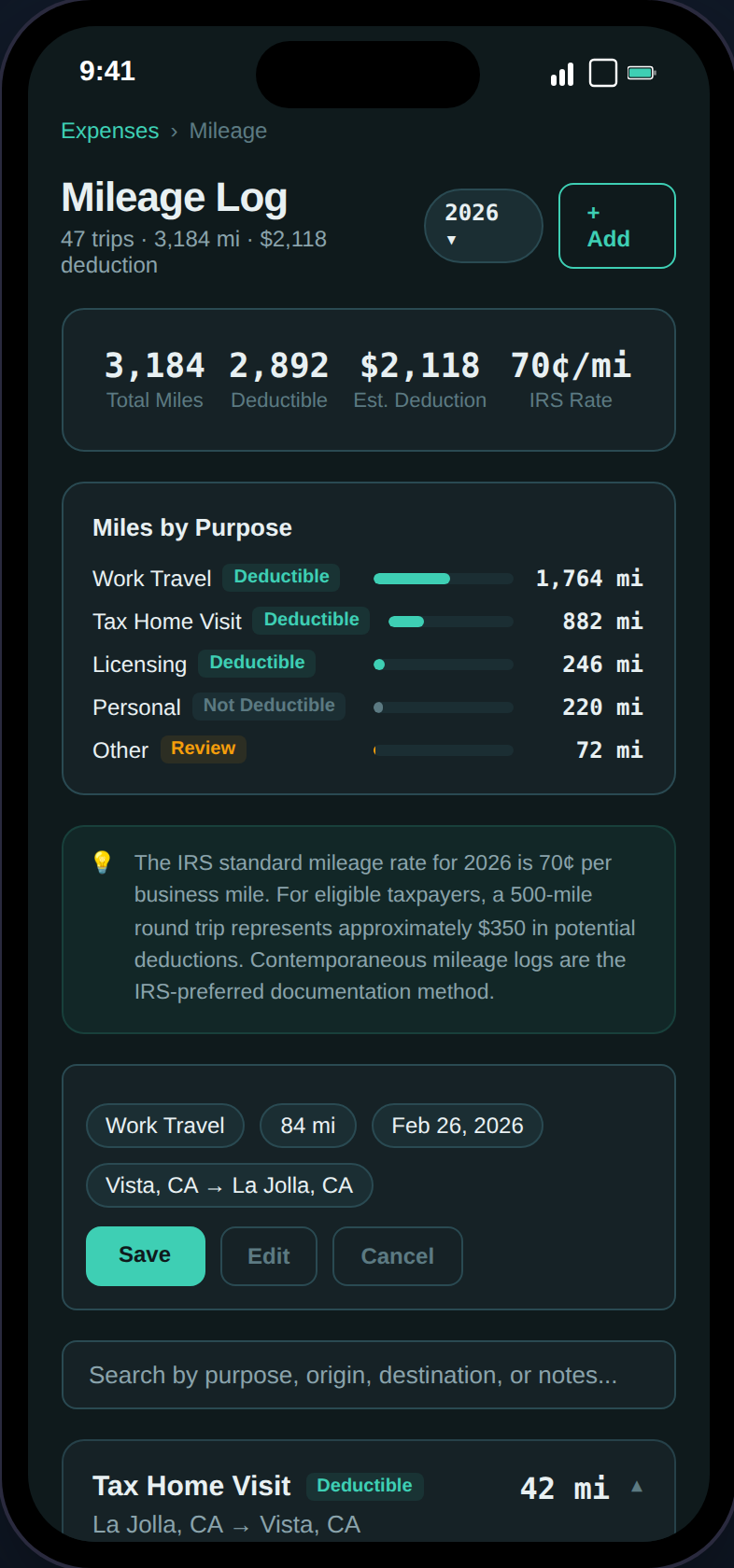
Mileage summary with total miles, estimated deduction, and trip cards.
- Purpose Categories — Tax home visit, work travel, licensing, other
- Deduction Calculator — Automatic computation at the current IRS rate
- Duplicate Trips — One-tap duplication for recurring routes
- Assignment Linking — Tie trips to specific contracts
Credentials
Track nursing licenses, certifications, and credentials with expiry alerts.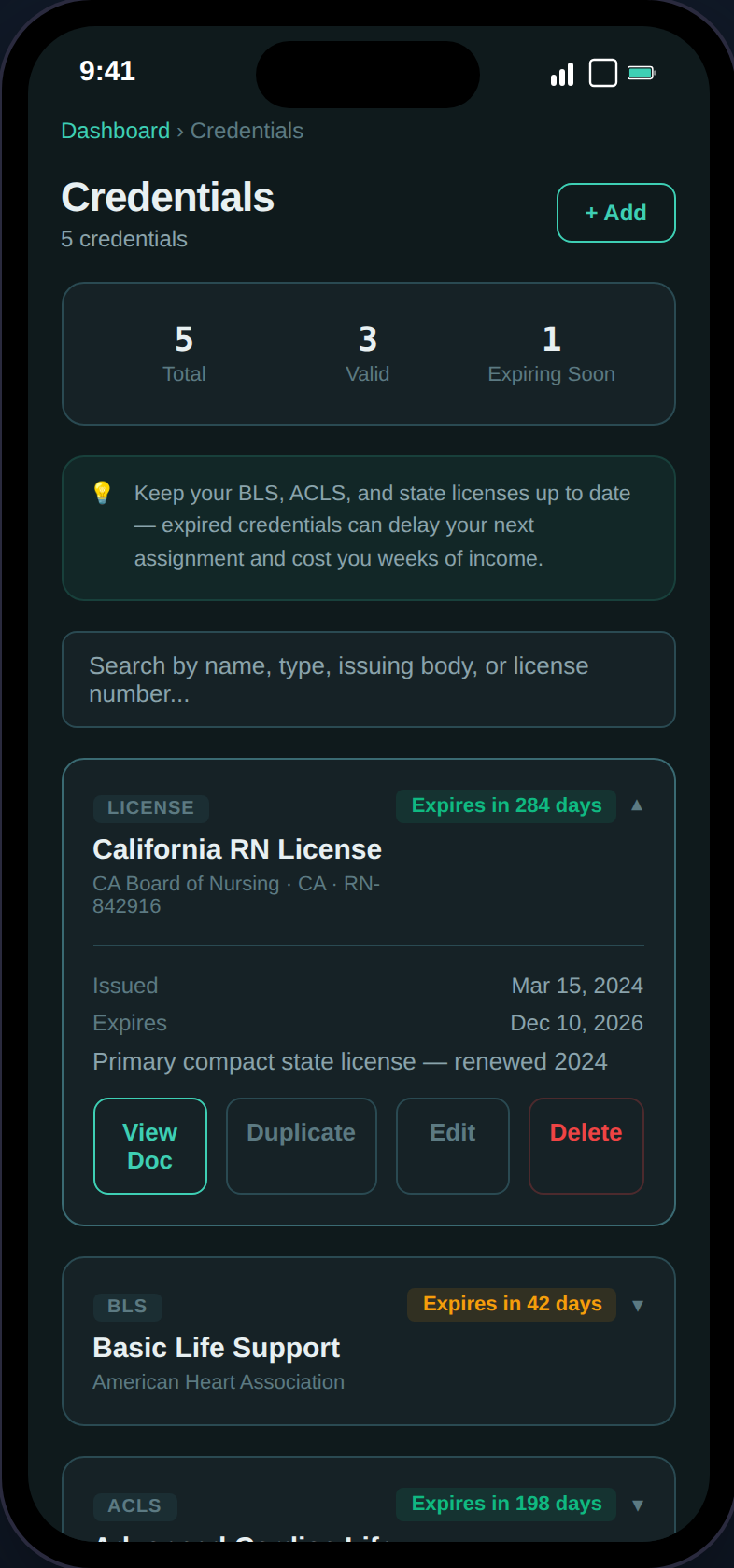
Credential cards with expiry color-coding, document uploads, and summary stats.
- Expiry Color-Coding — Green (>90 days), amber (expiring soon), red (expired)
- Document Uploads — Attach scans of licenses and certifications (PDF/JPEG/PNG)
- Compliance Alerts — Automatic notifications when credentials are expiring
- Types — BLS, ACLS, PALS, state licenses, certifications, and custom
Income Documents
W-2 and 1099 vault with an auto-generated checklist and income reconciliation.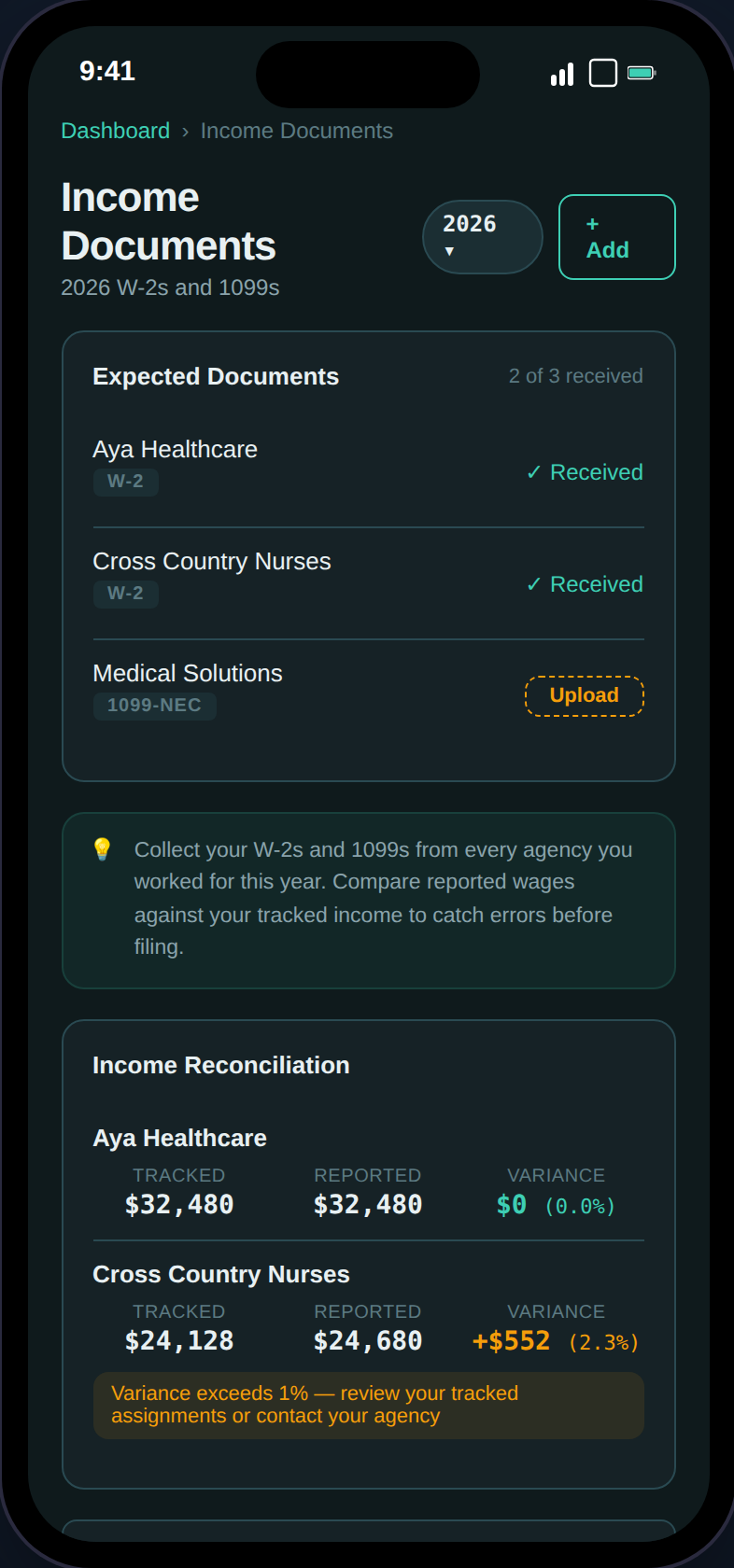
Expected document checklist with received/missing status and income variance tracking.
- Auto-Generated Checklist — Expected W-2 or 1099 per agency based on your assignments
- Income Reconciliation — Tracked income vs. W-2 reported wages with variance percentage
- Document Uploads — Attach scans of W-2s and 1099s
- Export Integration — The Export page cross-references uploaded income docs in the audit checklist
Audit Vault
Side-by-side comparison of your tax home costs vs. assignment housing — the duplicate living expense evidence the IRS looks for.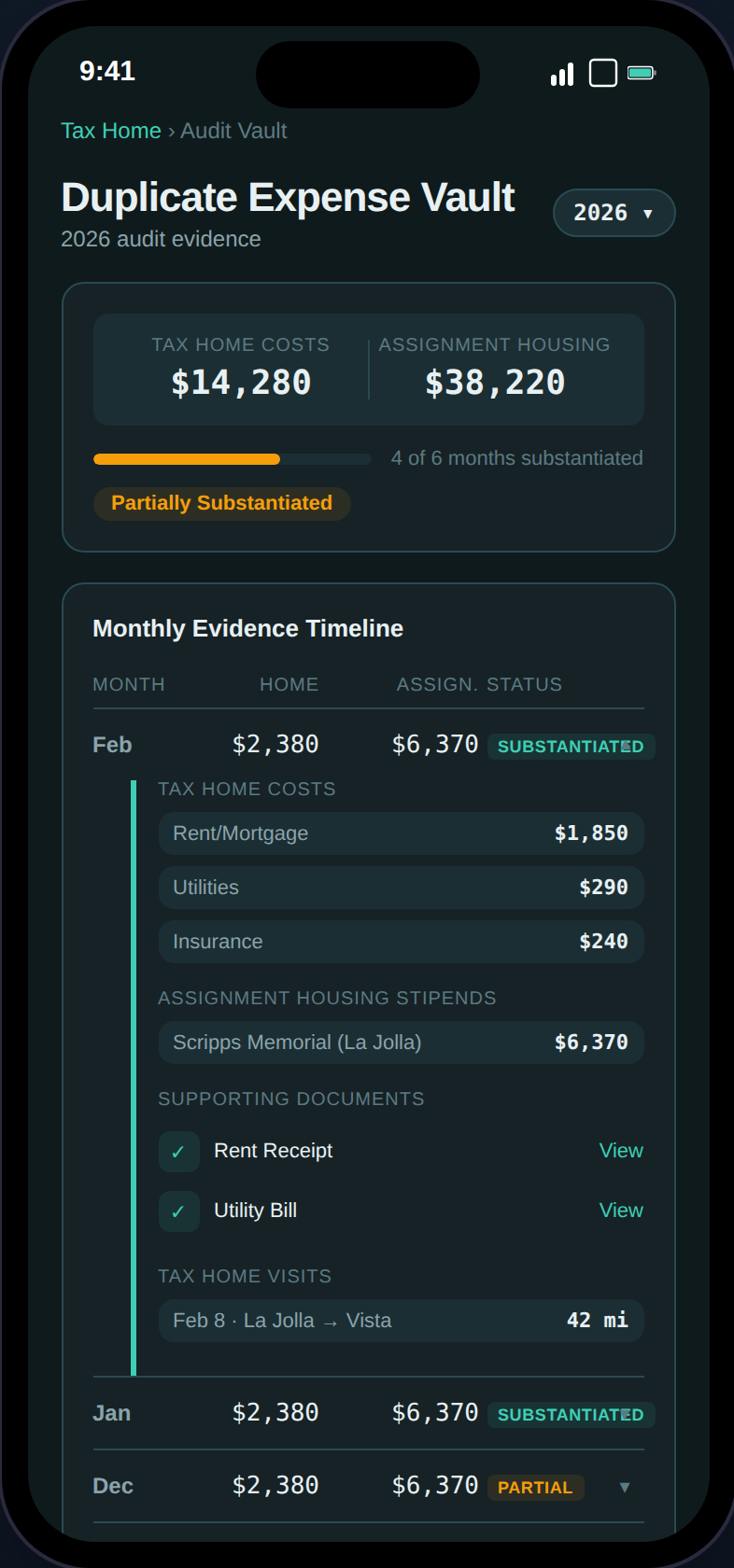
Month-by-month evidence timeline with substantiation badges and gap detection.
- Substantiation Badges — Substantiated (green), Partial (amber), Gap (red) per month
- Evidence Gap Detection — Flags months where documentation is missing
- PDF Export — One-click audit defense packet
Tax Estimate Pro
Full federal and state tax projection with deduction comparison, quarterly payment tracking, and Social Security impact analysis.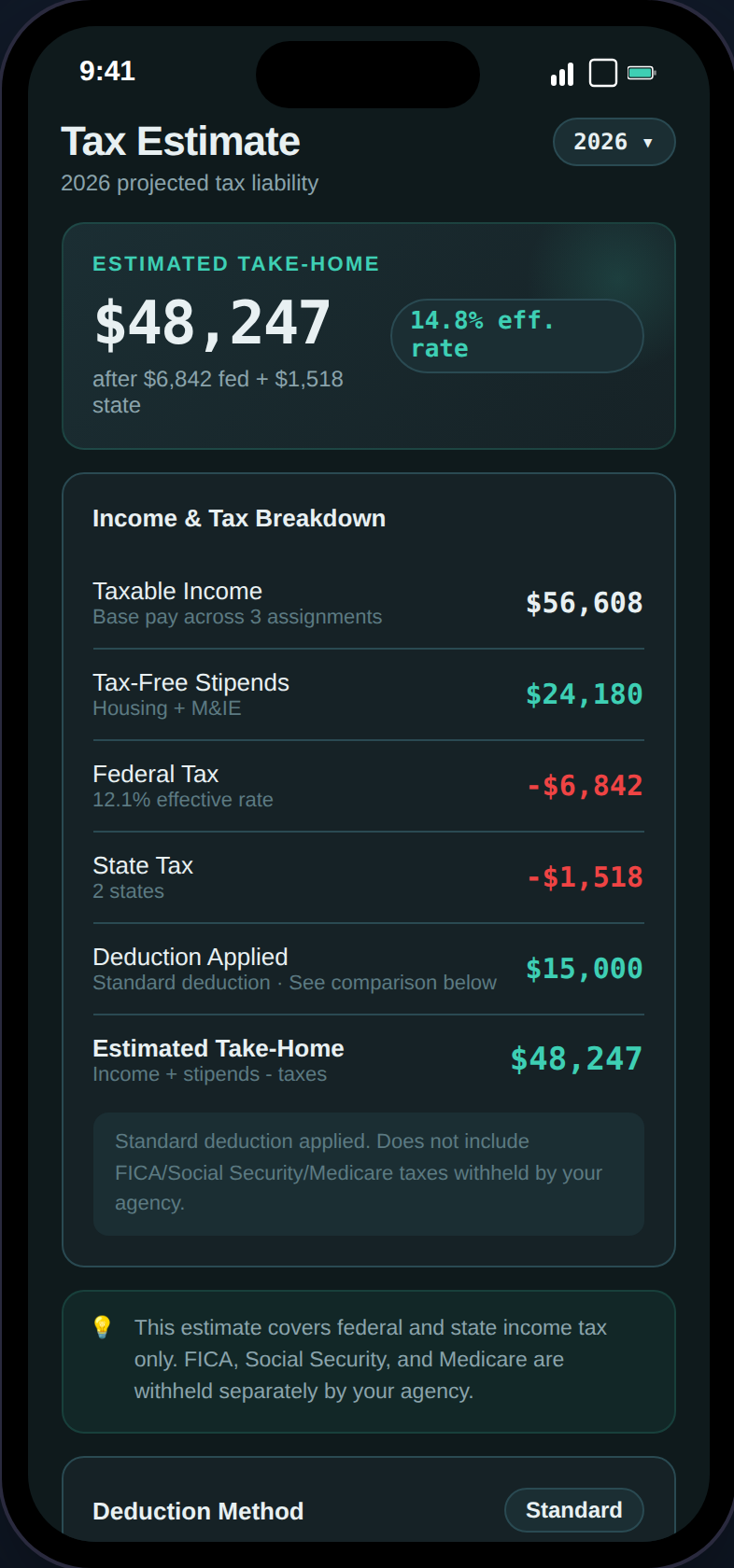
Estimated take-home with income breakdown, deduction method, and effective rate.
- Estimated Take-Home — After federal, state, and SE tax (1099)
- Income & Tax Breakdown — Row-by-row: taxable income, stipends, federal/state tax, deductions
- Deduction Method — Standard vs. itemized comparison (W-2) or Schedule C breakdown (1099)
- Lender Income View — Shows the gap between W-2 reportable income and actual compensation
- Social Security Impact — FICA savings vs. estimated future benefit reduction
- State Breakdown — Per-state income, tax, and effective rate with filing status
- Quarterly Payments — Track estimated payments with status badges (Paid/Due/Overdue)
- Audit Readiness — 100-point weighted checklist with progress ring
State Income Pro
Multi-state income tracking with days worked, reciprocity agreements, and a filing sequence guide.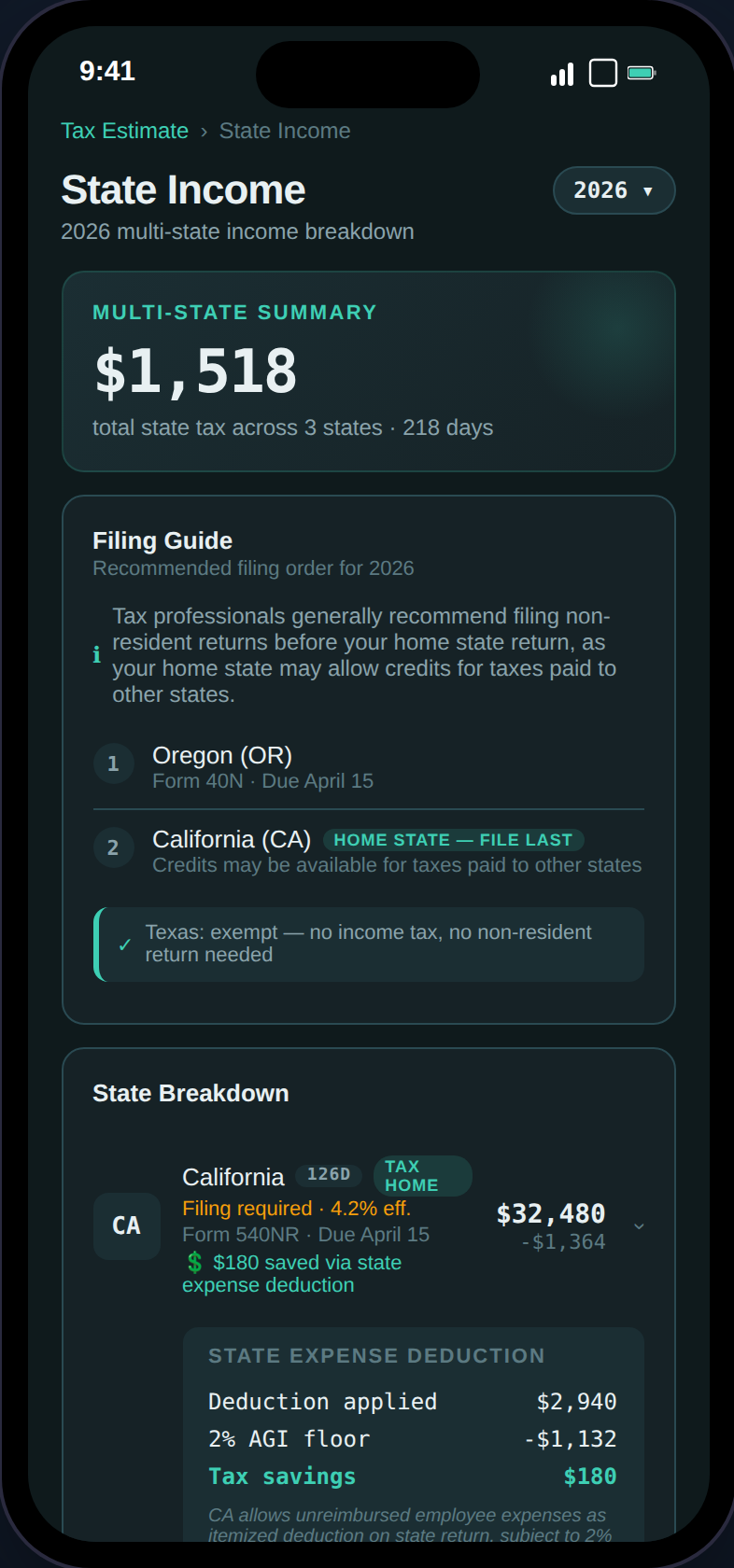
Per-state cards with income, days worked, reciprocity status, and filing deadlines.
- Days Per State — Accumulated from assignment date ranges
- Reciprocity Agreements — 16-state reciprocity map; exempt states shown with green badge
- Filing Sequence Guide — Numbered steps: non-resident returns first, home state last
- State Deductions — NY, CA, AL, HI, AR still allow W-2 expense deductions (TCJA non-conforming)
- Non-Resident Forms — Form names and deadlines for every income-tax state
Contract Comparison Pro
Compare two contracts side-by-side with real tax impact and local cost of living.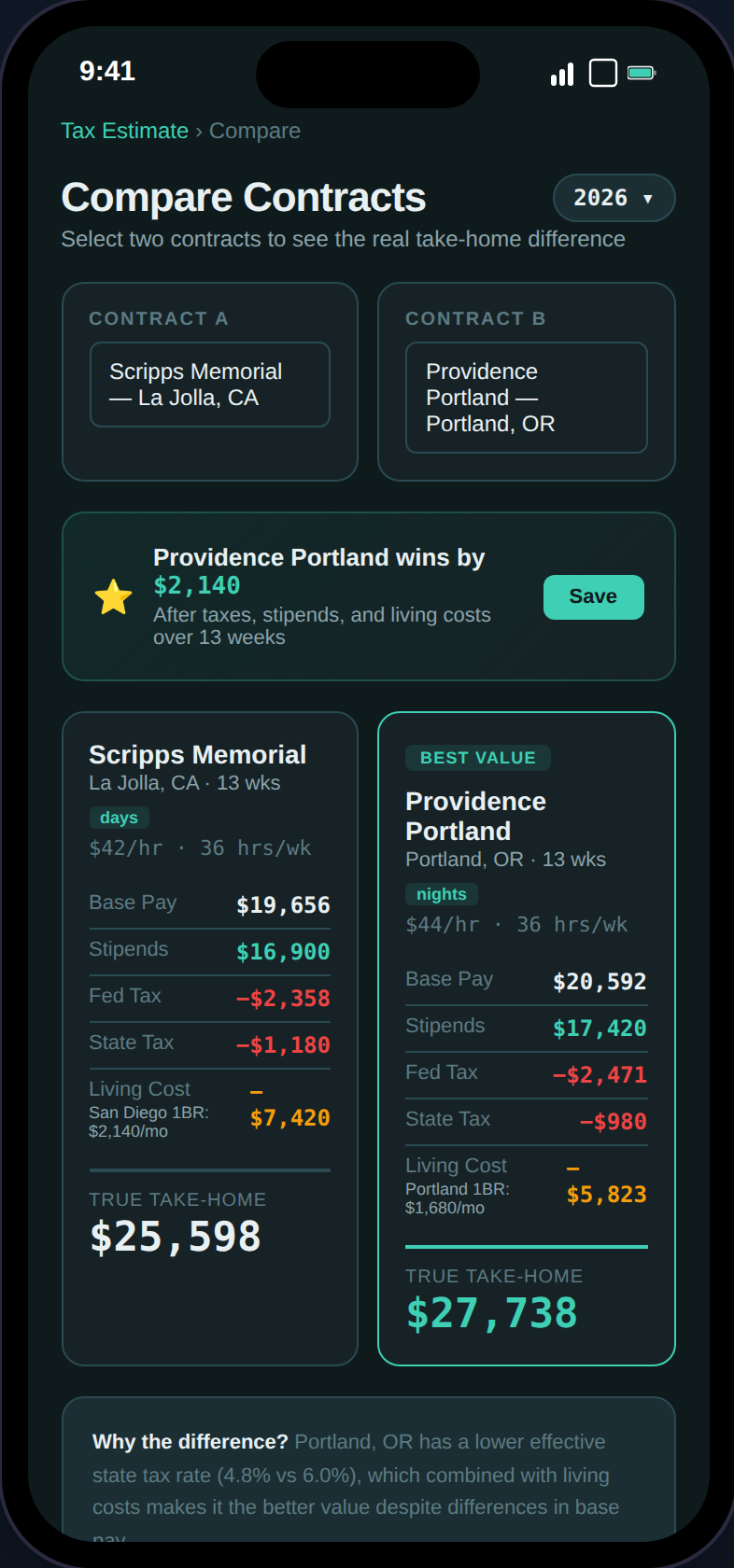
Side-by-side comparison with winner banner, tax-adjusted take-home, and per-week breakdown.
- Real Tax Impact — Federal + state tax computed for each contract
- FMR-Based Living Cost — HUD Fair Market Rent instead of inflated stipend estimates
- Hypothetical Contracts — Enter a contract you’re considering (or scan a job ad screenshot)
- Save & Review — Saved comparisons are immutable snapshots you can revisit anytime
Export Pro
One-click audit-ready tax package for your CPA.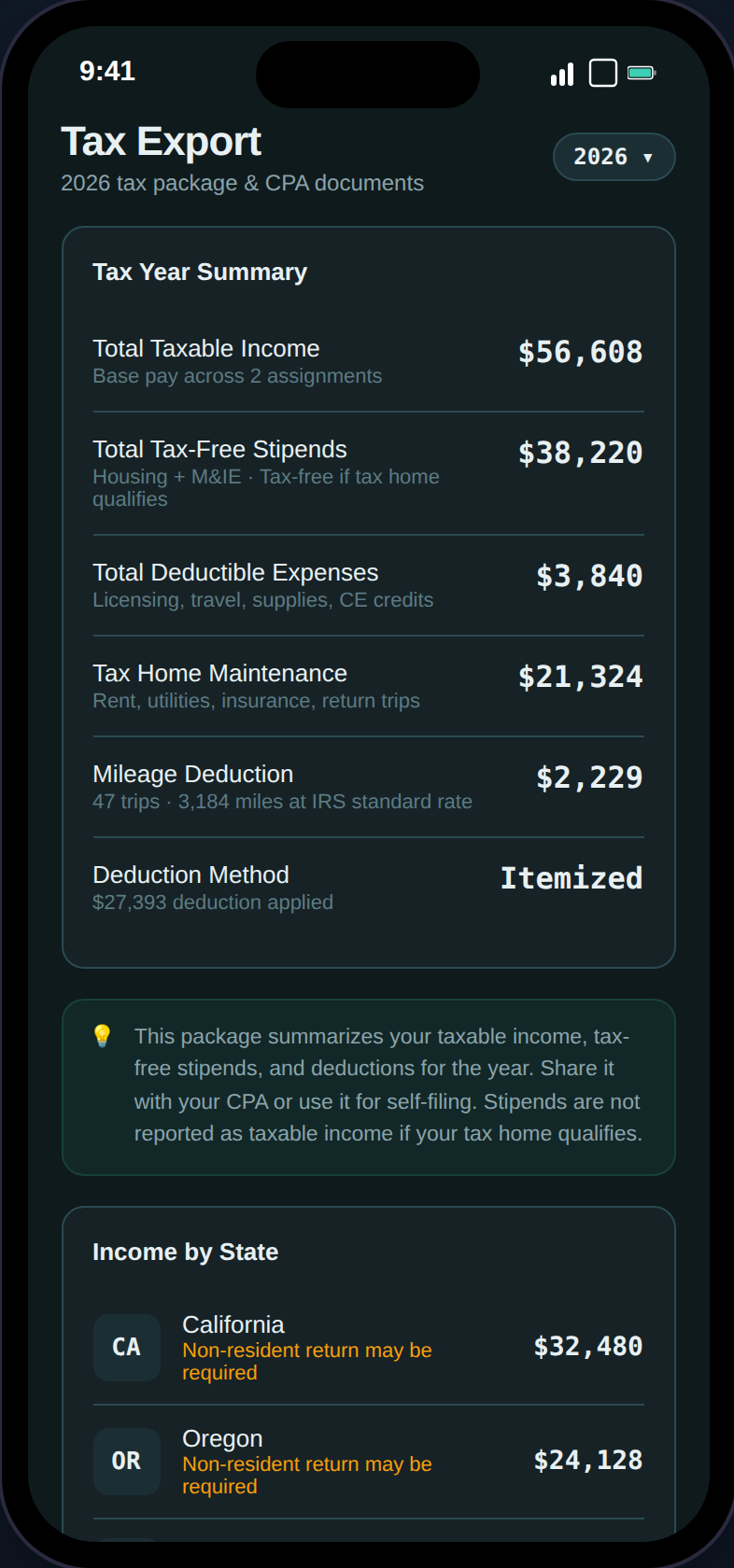
Export page with summary, audit defense checklist, and download options.
- Full Tax Package (PDF) — Summary, state breakdown, audit checklist, expense insights, GSA compliance, mileage log
- Expense Detail (CSV) — All expenses with categories, amounts, dates, and receipt status
- State Income Breakdown (CSV) — Per-state income and tax detail
- Mileage Log (CSV) — Complete trip log with purpose, origin, destination, and miles
- Download All (ZIP) — PDF + all CSVs in a single file