

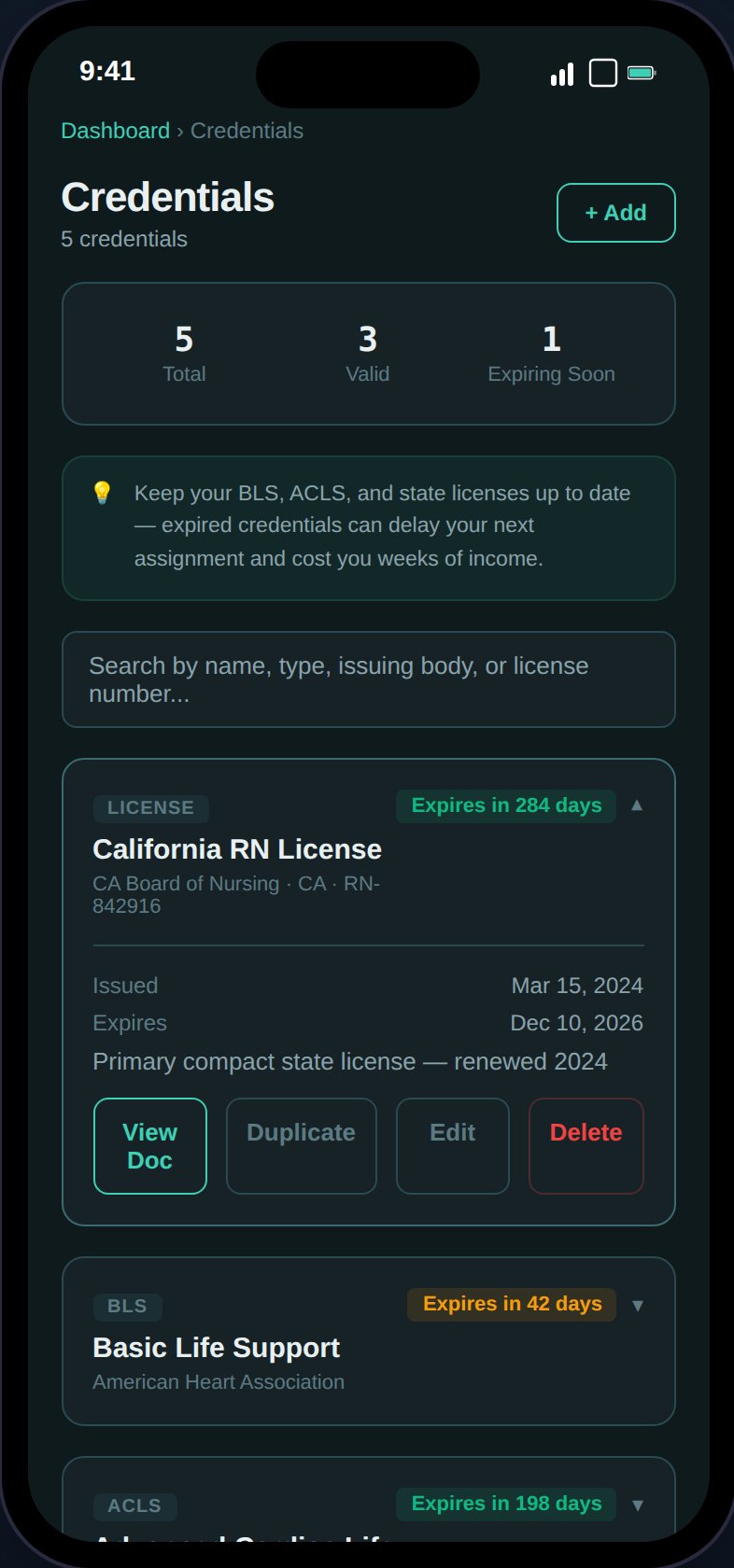
Track credentials with color-coded expiry badges, document uploads, and automated alerts.
Adding a Credential
Tap the + button to open the form. Fields:Credential Types
Expiry Tracking
Each credential card is color-coded by expiry status:
Cards show “Expires in X days” or “Expired X days ago” badges.
Summary Card
At the top of the page:- Total credentials on file
- Valid count
- Expiring soon count (within 90 days)
Expiry Alerts
The notification system sends credential alerts:- Danger — Any credential has expired
- Warning — Any credential expires within 90 days
Document Uploads
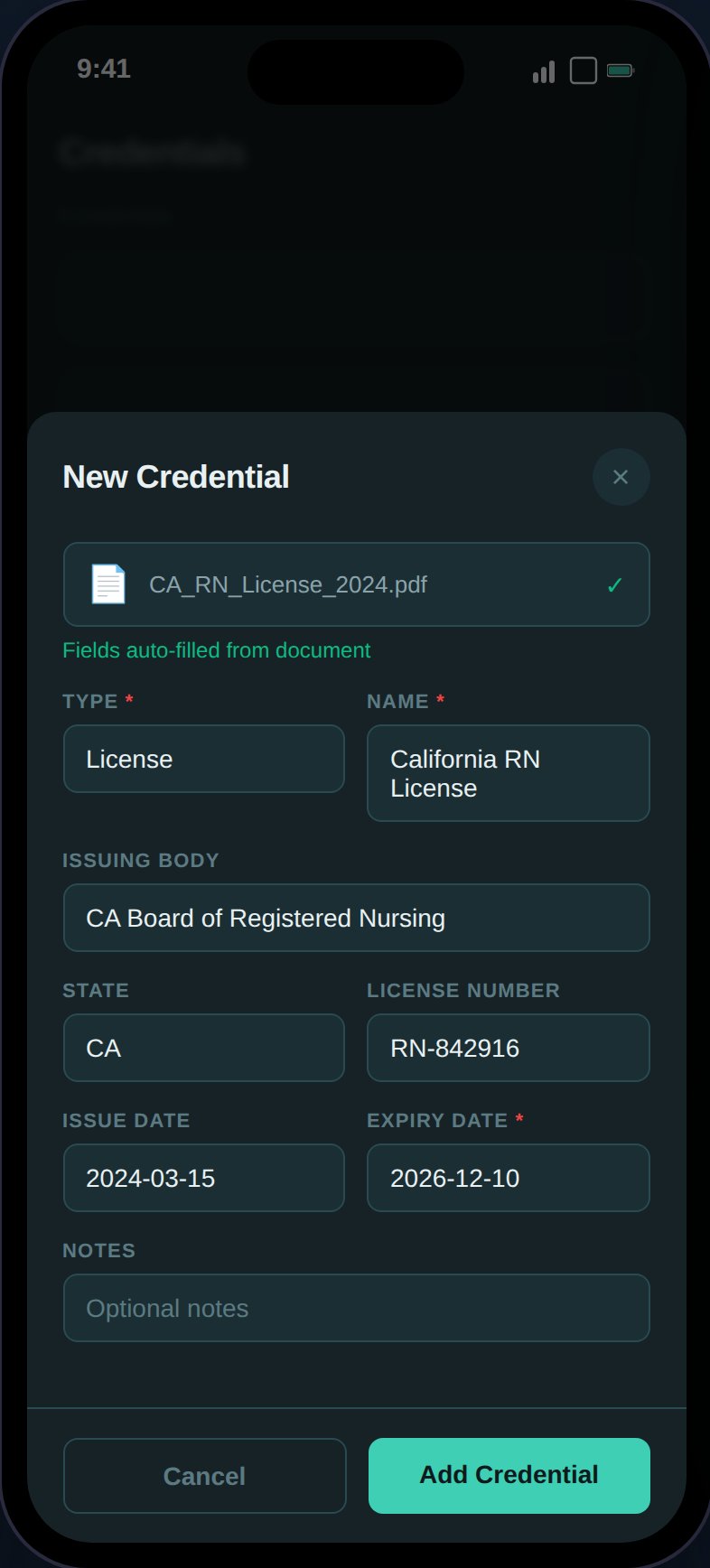
Upload credential scans directly from the form — AI extraction auto-fills fields from license images.
- Supported formats: PDF, JPEG, PNG (max 10MB)
- Stored securely in S3 with presigned URLs
- “View Document” button opens the file in a new tab
Actions on Credential Cards
- Expand — View all details and document link
- Edit — Modify any field
- Delete — Soft delete with 5-second undo toast
- Duplicate — Open a pre-filled create form
Search
Client-side search filters by name, type, issuing body, license number, state, and notes.Credentials are not year-scoped — they have absolute expiry dates. The year picker is not shown on this page.