

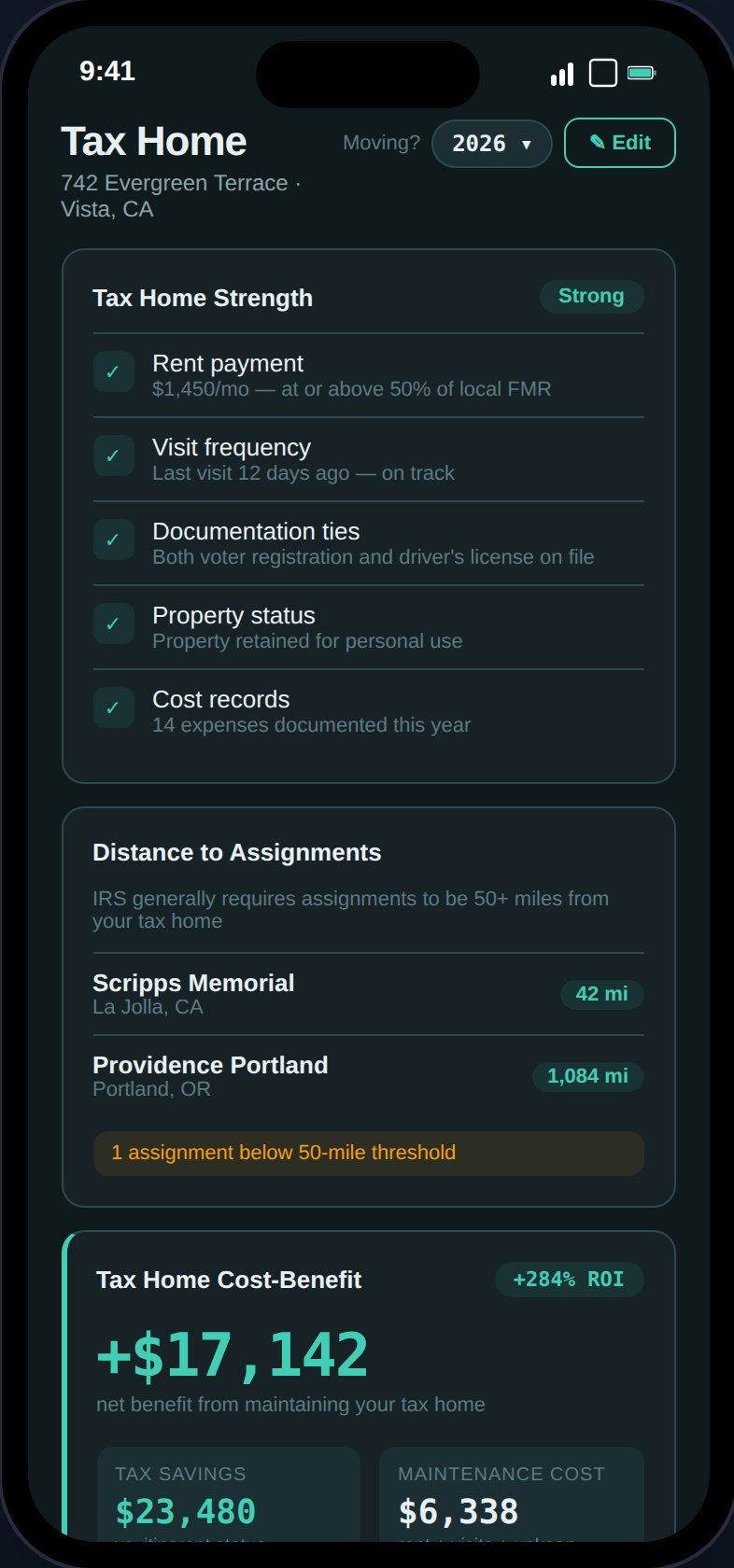
The Tax Home page shows your strength score, cost-benefit analysis, eligibility status, and supporting documents.
Setting Up Your Tax Home
Go to Tax Home and enter your permanent residence details:Tax Home Strength Indicator
The Tax Home Strength card evaluates 5 factors with three levels each (strong, weak, critical):- Rent vs. FMR — Is your rent reasonable compared to local Fair Market Rent?
- Visit frequency — Are you visiting regularly (every 30 days)?
- Documentation ties — Do you have voter registration and matching driver’s license?
- Property status — Is the property not rented out?
- Cost records — Are you tracking tax home maintenance costs?
- Strong — 0 critical factors, 1 or fewer weak
- Moderate — 0 critical, 2+ weak
- Needs Attention — 1 critical factor
- At Risk — 2+ critical factors
Stipend Eligibility
The Stipend Eligibility card evaluates 6 IRS criteria and gives a verdict:
When not eligible, the card shows your total stipends at risk and estimated additional tax impact. Each failing criterion shows a plain-English IRS consequence.
Cost-Benefit Analysis
The top card on the Tax Home page compares two scenarios:- Scenario A: Keep Tax Home
- Scenario B: Go Itinerant
- Base pay is taxable
- Stipends remain tax-free
- All mileage, expenses, and tax home costs are deductible
- State taxes computed on base pay only
- Net benefit — Green “+X,XXX”
- ROI — Percentage return on your tax home maintenance costs
- Cost breakdown — Rent, utilities, insurance, return trips, visit mileage
The analysis shows “Free benefit” when your maintenance cost is $0 (e.g., family member covers rent).
Tax Home Abandonment Checklist
A conditional “Tax Home at Risk” card appears when risk conditions are detected:- Visit overdue (>30 days since last visit)
- No rent being paid
- Property rented out to tenants
- No maintenance costs recorded
- No supporting documents uploaded
- No return trip mileage logged
Document Uploads
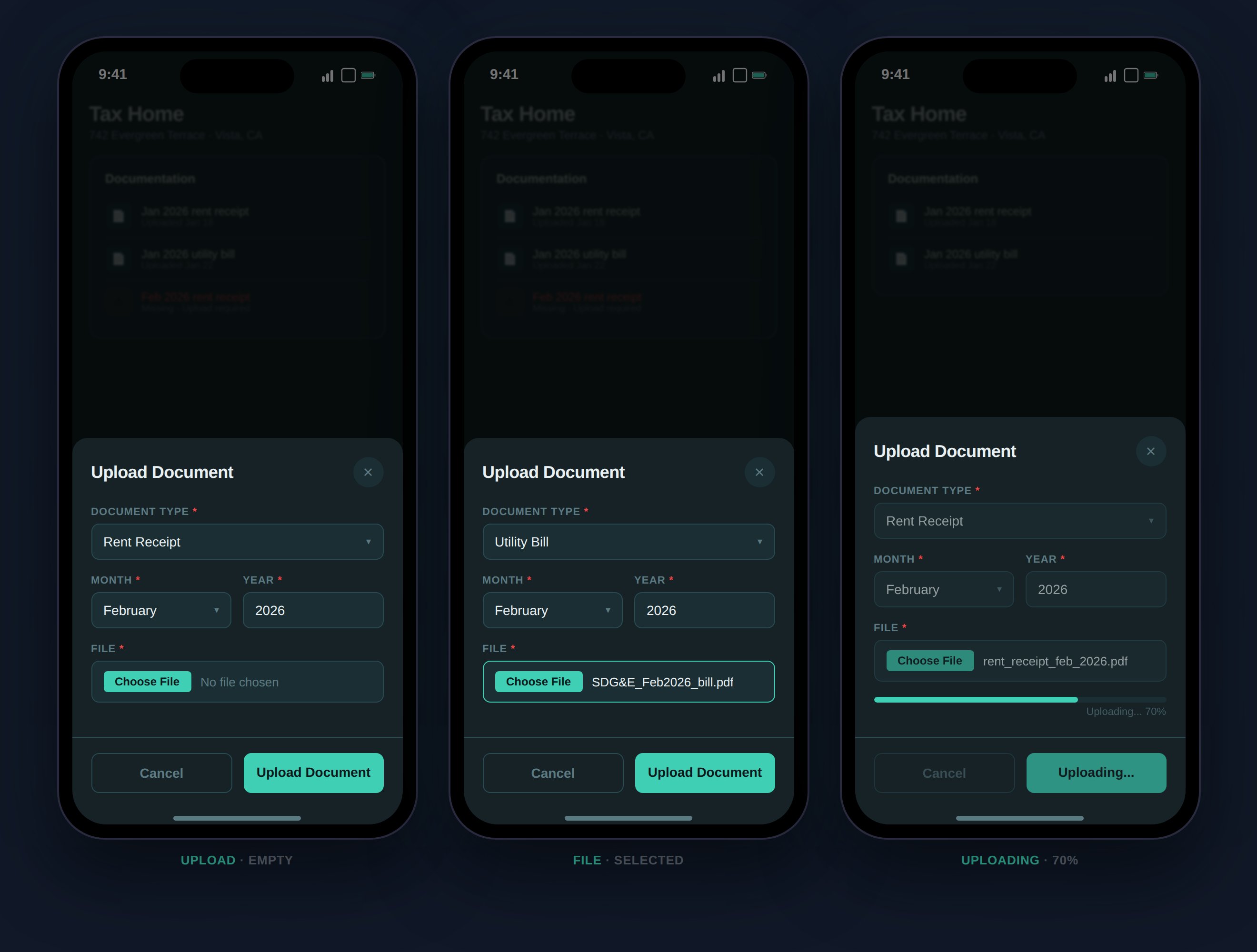
Upload rent receipts and utility bills as supporting documentation for your tax home.
- Rent receipts — Monthly proof of payment
- Utility bills — Shows ongoing residential use
Tax Home Costs
Track monthly maintenance costs in 5 categories:
These costs feed into the cost-benefit analysis and are included in your deduction calculations for 1099 users.