

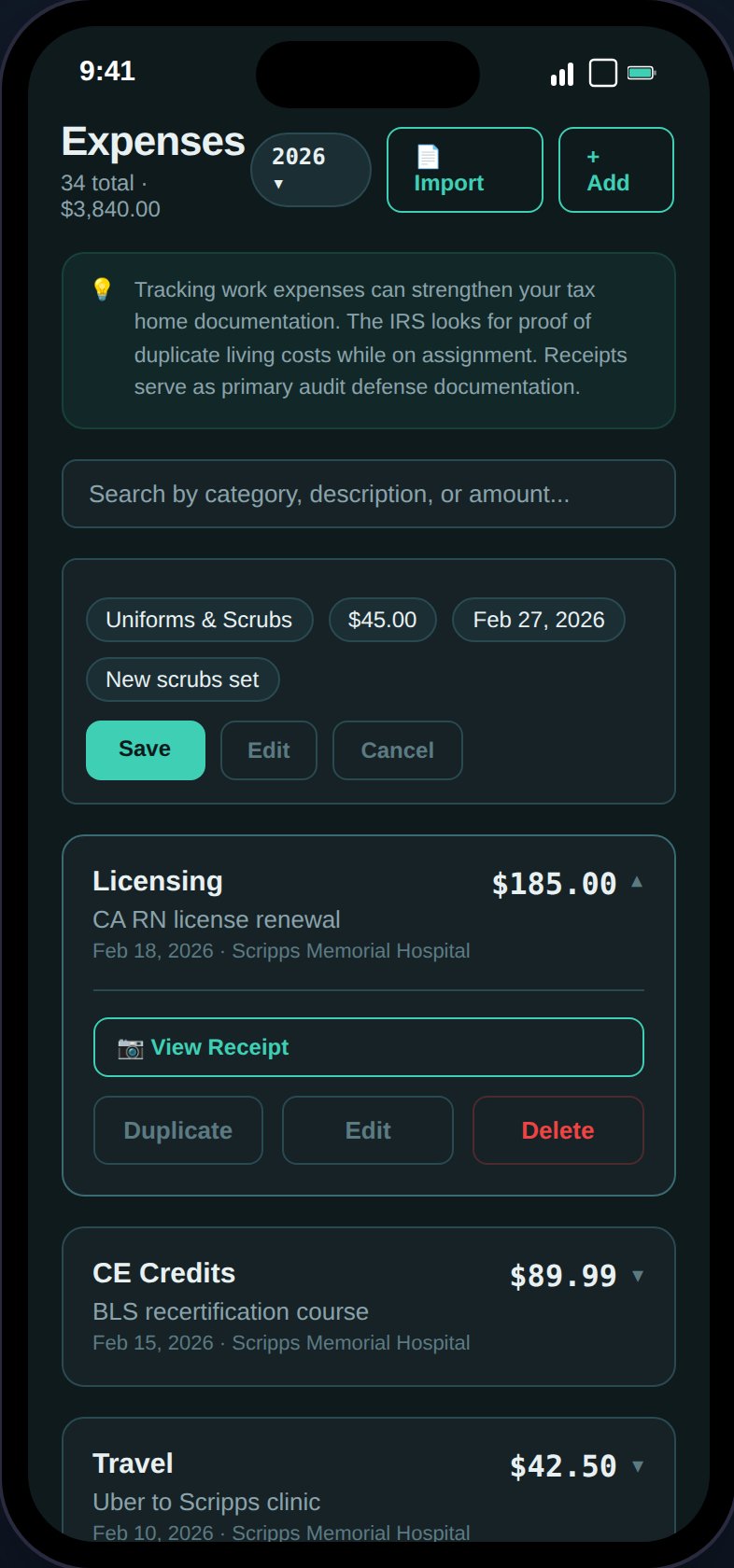
Track expenses by category with receipt attachments, receipt scanning, and CSV import.
Adding an Expense
Tap the + button to open the expense form. Fields:Expense Categories
Receipt Scanning
In create mode, use Scan Receipt to photograph a receipt and auto-fill fields:1
Take or upload a photo
JPEG or PNG, up to 10MB. The image is uploaded to S3.
2
Textract analyzes the receipt
AWS Textract extracts the total amount, date, vendor name, and suggests a category based on keywords.
3
Review auto-filled fields
Only empty fields are populated — your manual entries are preserved. Review and adjust as needed.
CSV Import
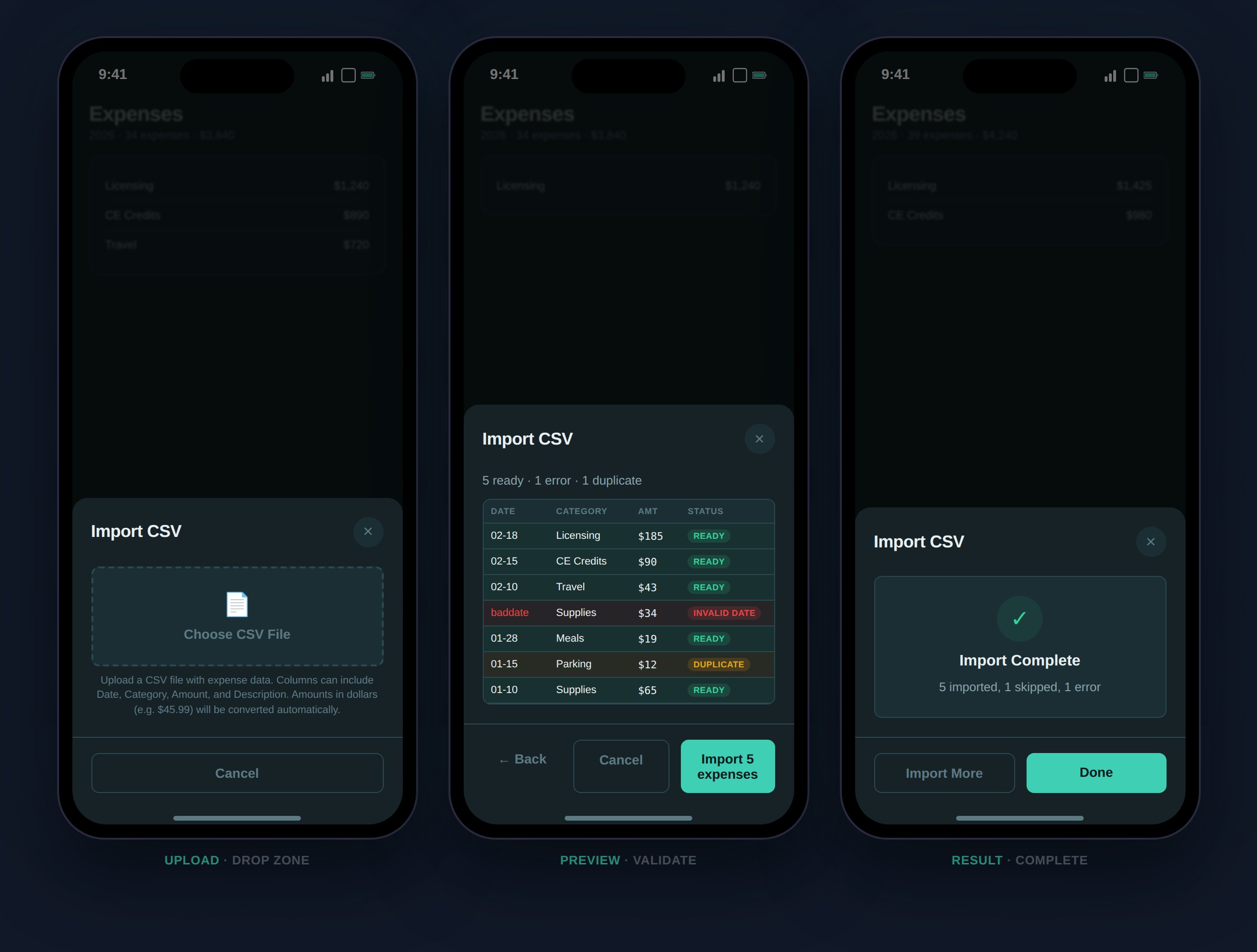
Import expenses in bulk from CSV with auto-detection, preview, and duplicate detection.
- Click Import on the Expenses page
- Upload a
.csvfile - TaxHomeBase auto-detects columns by header row (date, category/type, amount/total/cost, description/note/vendor)
- Preview shows color-coded rows: green (ready), red (error), amber (duplicate)
- Confirm to import
Expense Reports
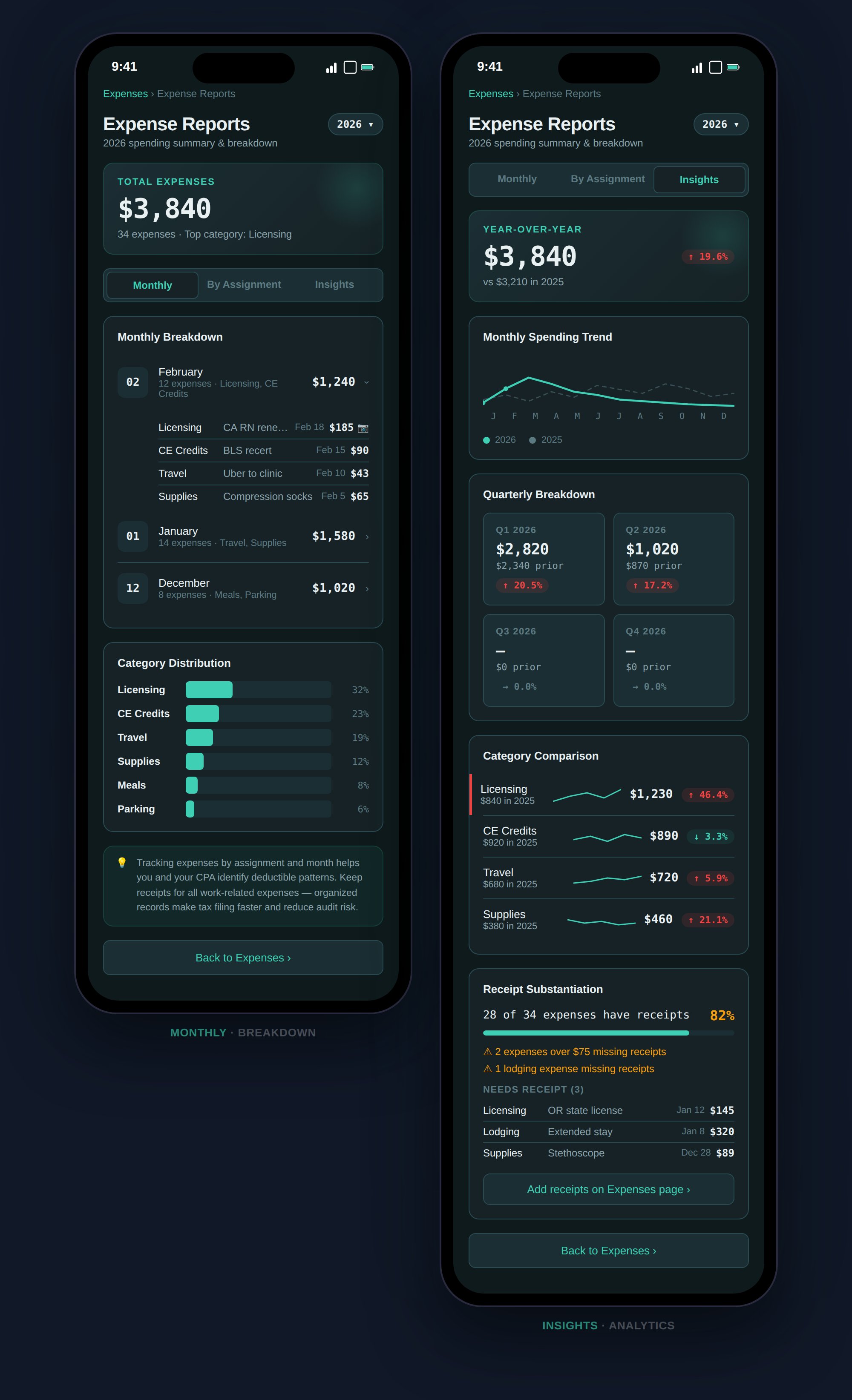
Expense Reports offer monthly breakdowns, assignment grouping, and year-over-year insights.
- Monthly Breakdown
- By Assignment
- Insights
Expenses grouped by month with expandable cards showing individual items, amounts, and receipt indicators.
W-2 vs. 1099 Deductions
How expenses are handled depends on your employment type:- W-2 Employees
- 1099 Contractors
Under TCJA (2017–2025), unreimbursed employee expenses are not deductible on your federal return. However, 5 states still allow them: NY, CA, AL, HI, and AR.TaxHomeBase still tracks your expenses because:
- State-level deductions may apply
- TCJA suspension of W-2 expense deductions is now permanent
- Expenses feed into profitability analysis
Actions on Expense Cards
- Expand — View full details and receipt
- Edit — Modify any field
- Delete — Soft delete with 5-second undo toast
- Duplicate — Open a pre-filled create form
- View Receipt — Open receipt image in modal (camera icon)