

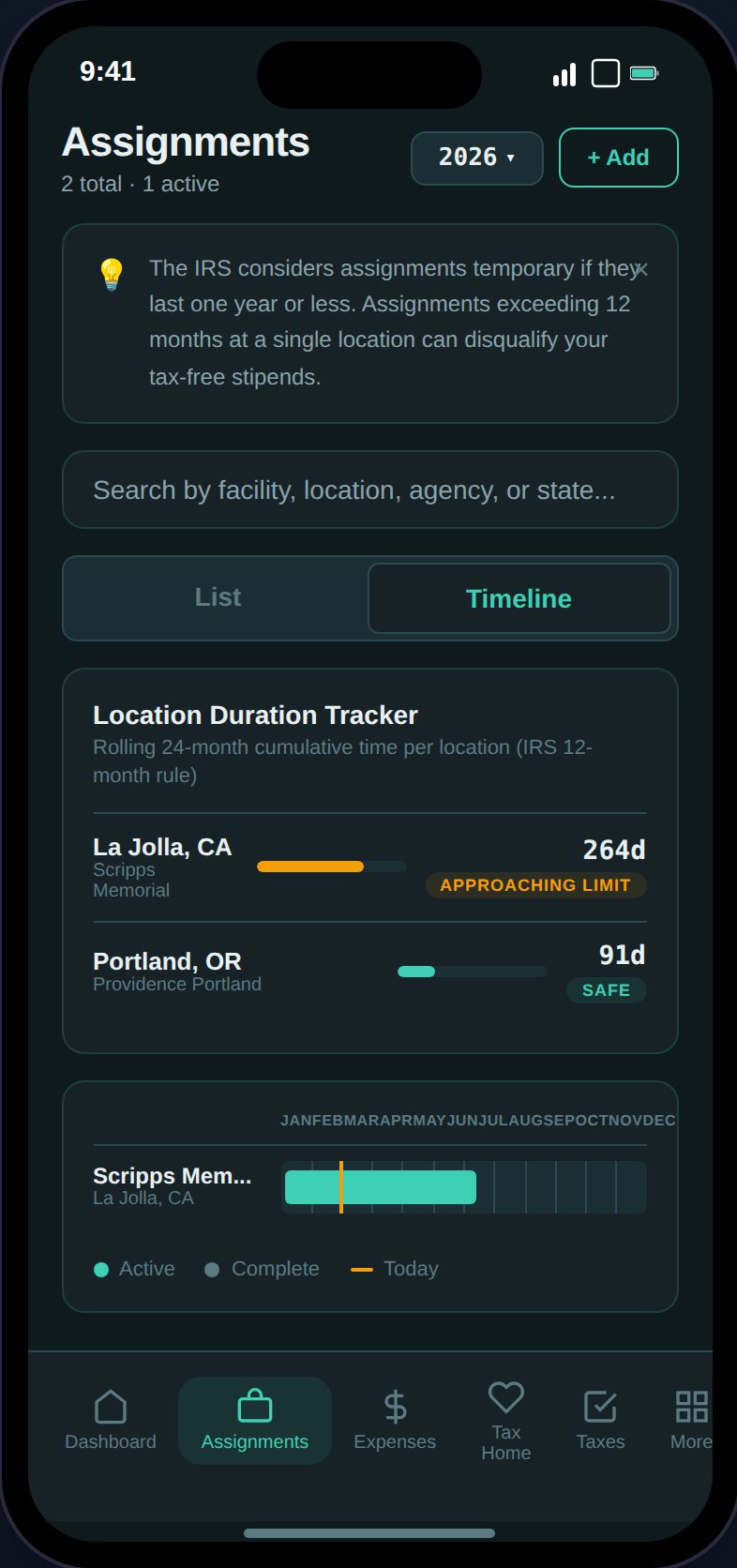
Assignment cards show status, compensation, GSA compliance, and profitability at a glance.
Adding an Assignment
Tap the + button to open the assignment form. Required fields:
Optional fields: agency, end date, housing stipend, M&IE stipend, status, sign-on/completion/referral bonuses, contract file.
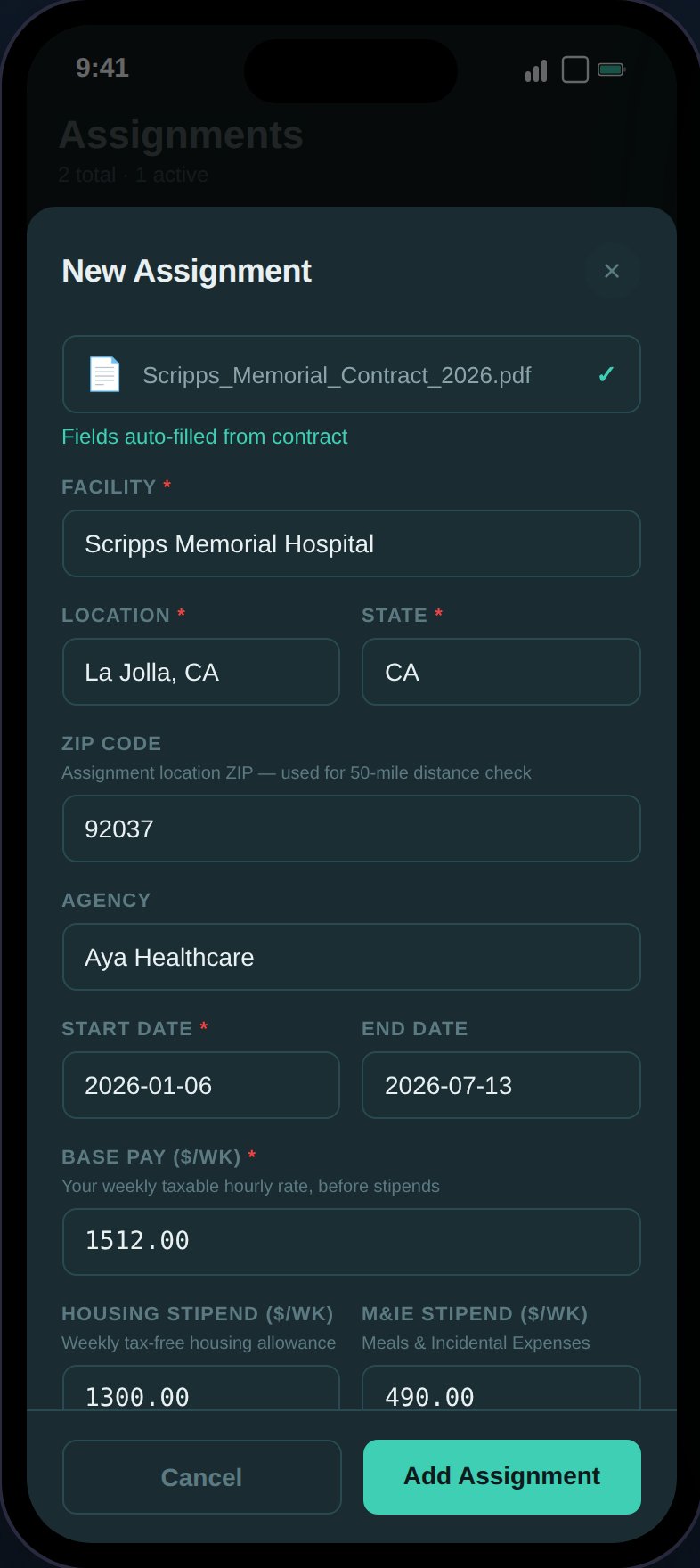
After scanning a contract, Claude auto-fills all 12 assignment fields.
Assignment Statuses
Assignments follow a lifecycle:upcoming → active → complete. Status transitions are enforced — you can’t move a completed assignment back to active.
Timeline View
The Timeline view shows a Gantt-style chart of your assignments across the year.
- Bars positioned by percentage within the selected year
- Teal bars for active assignments, gray for complete
- Month grid lines across the top
- Amber “today” marker (vertical line) for the current year
12-Month Rule Badges
Assignment cards display risk badges based on duration:
See The 12-Month Rule for the full explanation.
Expanded Assignment Detail
Tap any assignment card to expand and see:Compensation Breakdown
Compensation Breakdown
Base pay, housing stipend, M&IE stipend, and any bonuses with weekly and contract-total amounts.
Stipend Defense Check
Stipend Defense Check
Evaluates 7 criteria against your actual tax home status to determine if your stipends are defensible in an audit:
- Tax home established
- Rent being paid
- Recent visit (within 30 days)
- Documentation ties (voter registration / driver’s license)
- Property not rented out
- 12-month rule compliance
- GSA compliance
Housing Adequacy
Housing Adequacy
Compares your agency housing stipend against HUD Fair Market Rent (FMR) for the assignment location:
- “Your Housing / wk” vs. “Local Rent / wk”
- Green “+X/wk shortfall”
GSA Per Diem Comparison
GSA Per Diem Comparison
Compares your daily stipend rates against IRS/GSA limits:
- Your rate vs. IRS max for housing and M&IE (daily)
- Green “Within GSA limits” or amber “Exceeds GSA limits” badge
- First/last day 75% M&IE note
Housing vs. Stipend Calculator
Housing vs. Stipend Calculator
Compares taking the cash stipend vs. accepting agency housing:
- Scenario A (Take Stipend): tax-free stipend income minus out-of-pocket rent (FMR estimate)
- Scenario B (Agency Housing): no housing stipend, no rent cost
- Shows weekly difference and contract-total savings
- Hidden when housing stipend is $0
Per-Assignment Profitability
Per-Assignment Profitability
Net profit breakdown (lazy-loaded on first expand):
- Gross Comp — Total compensation including stipends
- Est. Taxes — Federal, state, and SE tax (proportionally allocated)
- Linked Expenses — Expenses and mileage tied to this assignment
- Net Profit — Green if positive, red if negative, with margin percentage
- “Above/below average” note when you have multiple assignments
Location Duration Tracker
Between the tab toggle and assignment list, a tracker shows rolling 24-month cumulative days per location (city + state) across all assignments:
This is the IRS 12-month rule check at the location level, not per-assignment. See The 12-Month Rule.