

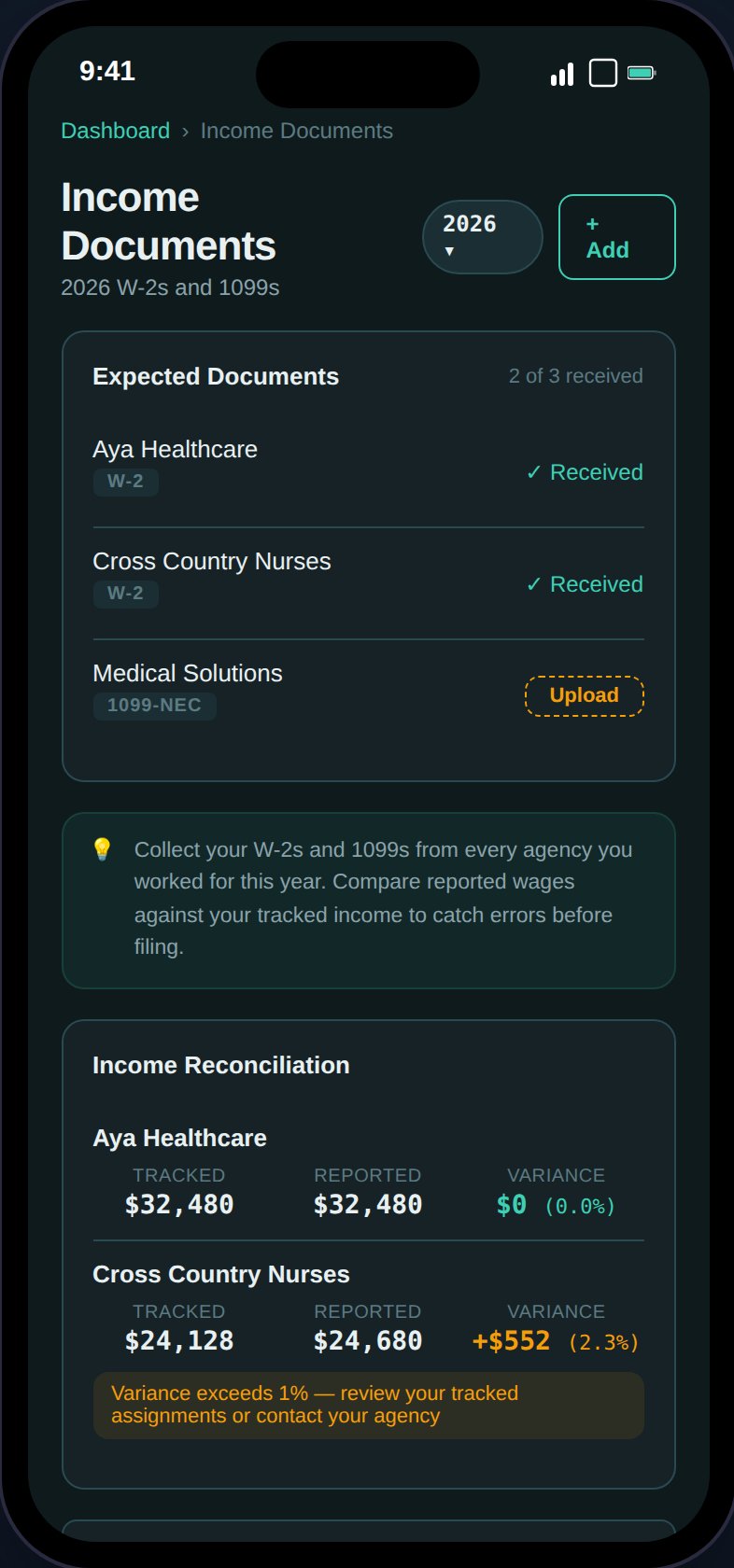
The auto-generated checklist shows expected W-2/1099 documents per agency with received or missing status.
Agency Checklist
TaxHomeBase cross-references your assignments to show expected documents:- One row per unique agency from your assignments
- Expected document type based on your employment type (W-2 for W-2 employees, 1099-NEC for 1099 contractors)
- Received or Missing status
- “Upload” button on missing items opens a pre-filled form
Income Reconciliation
For each agency with an uploaded document, TaxHomeBase compares:- Tracked income — Sum of base pay from assignments with that agency
- Reported wages — The wages amount from the uploaded W-2/1099
- Variance amount (absolute difference)
- Variance percentage
- Green if within 1%
- Amber if >1% discrepancy
Small variances are normal — agencies may include orientation pay, overtime, or adjust dates differently. Large variances (>5%) should be investigated.
Adding an Income Document
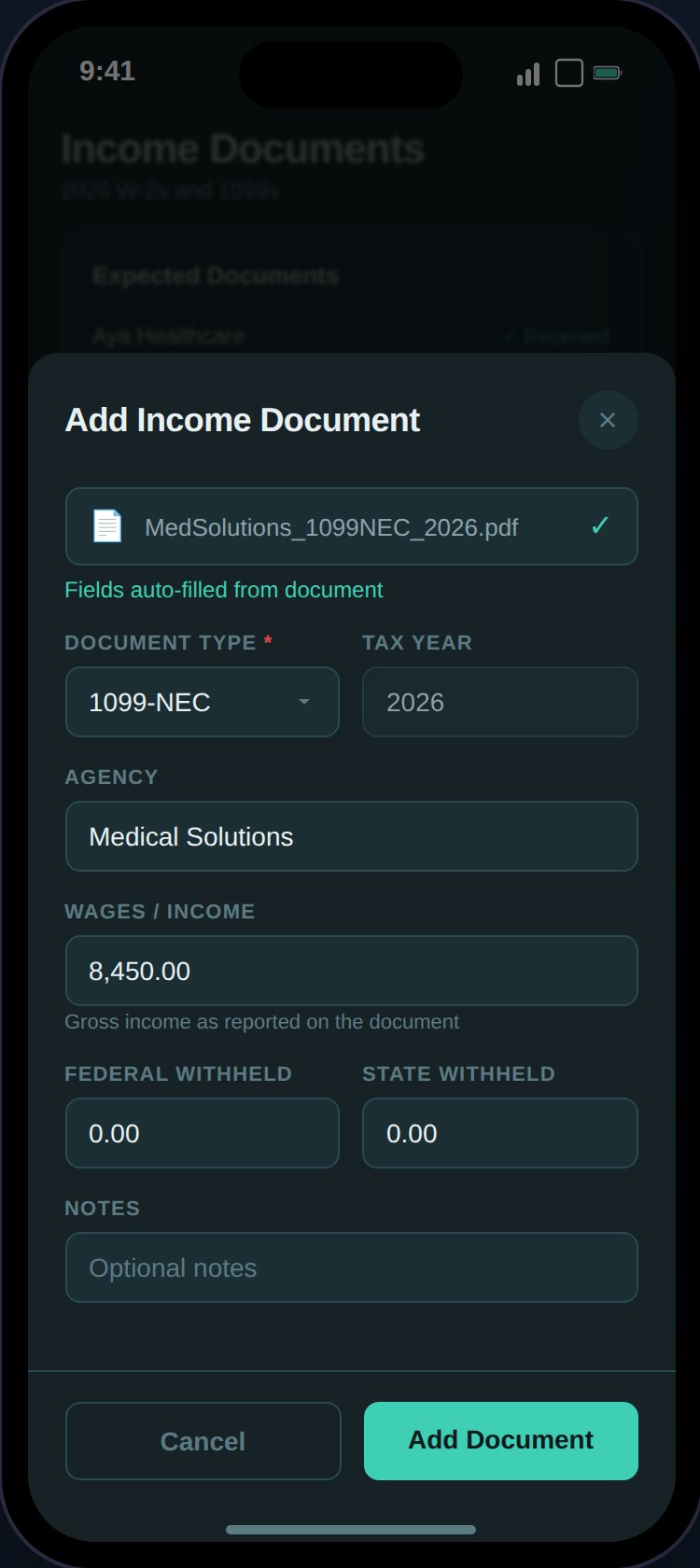
Scan a W-2 or 1099 to auto-fill wages, withholding, and agency details.
Document Management
- Expandable cards with type badge, agency, and key numbers
- “View Document” button for uploaded files
- Edit, delete (with undo), and restore actions
- Client-side search by agency, document type, and notes
Integration with Export
The Export page W-2 checklist cross-references uploaded income documents:- Shows reported wages if the document is uploaded
- Shows “Upload W-2 from ” with a link if missing