

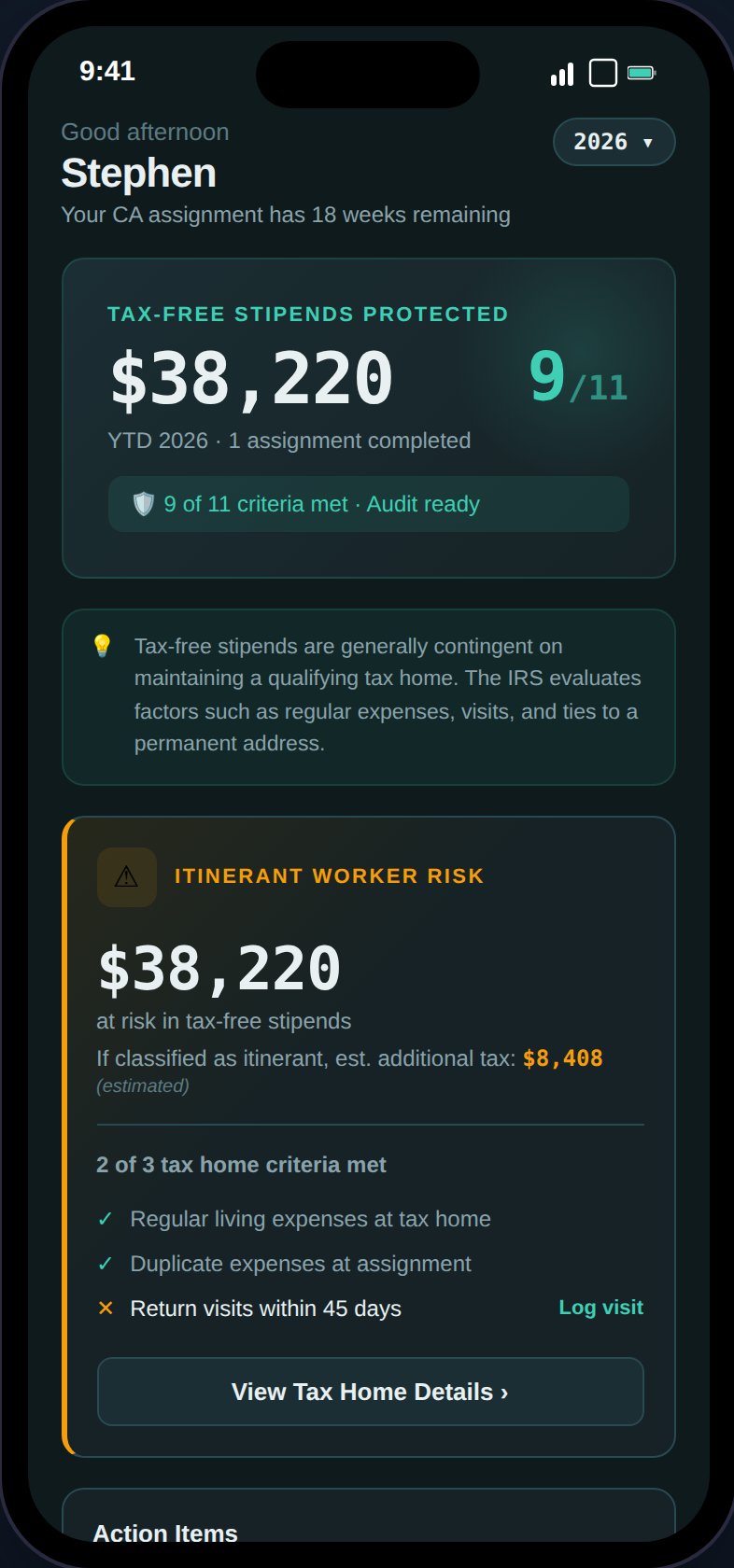
The Dashboard shows your stipend protection status, action items, and financial summary at a glance.
Stipend Protection Banner
The hero section shows your year-to-date tax-free stipends — the total housing and M&IE stipend income across all assignments for the selected year. Below that is your audit readiness score (e.g., “8/11 criteria met”), which links to the Tax Home page. The footer displays either “Audit ready” (all criteria met) or “Action needed” (with a link to resolve issues).Action Items
Server-driven alerts that require your attention. These come from the notification system and include:- Stipend risk — Tax home compliance issues that could jeopardize your stipends
- Visit overdue — More than 30 days since your last tax home visit
- GSA exceeds — Assignment stipends exceed IRS per diem limits
- Credential expiring — Professional licenses or certifications nearing expiry
- Quarterly payment due — Estimated tax payment deadline approaching
Tax Home Visit Tracker
A color-coded card showing days since your last tax home visit:
A progress bar fills as you approach the 45-day mark. The IRS doesn’t mandate a specific visit frequency, but every 30 days is the recommended practice to demonstrate regular ties.
YTD Financial Summary
A 2x2 grid showing:- Taxable Income — Base pay + bonuses across all assignments
- Tax-Free Stipends — Housing + M&IE stipends (the money you’re protecting)
- Expenses — Total tracked deductible expenses
- Est. Take-Home — After-tax income (Pro users see the calculated amount; Free users see a dash with a “Pro” badge)
Monthly Financial Breakdown (Desktop)
On desktop, the YTD Financial Summary expands into a month-by-month table with columns for taxable income, housing stipends, M&IE stipends, expenses, mileage, and net income. A Forecast toggle appears when there are projected future months (e.g., from active assignments that extend beyond today). Forecast is collapsed by default — tap the toggle to show projected rows, which appear with a dimmed style to distinguish them from actual data. Year-to-date totals are computed from assignment contract dates and logged expenses only; they do not include forecast projections.Tax Filing Preview

Scroll down to see the tax filing preview, onboarding checklist, and visit tracker.
- Documents expected — Count and type (W-2 or 1099-NEC) per unique agency
- Returns to file — Federal return plus non-resident state returns, with state chips
- Estimated total tax — Annual and quarterly amounts (Pro only)
- Filing deadline — April 15 of the following year
Onboarding Checklist
First-run guide that appears for new users with 4 tasks:- Set up your tax home
- Add an assignment
- Log an expense
- Check your audit readiness
Contextual Greeting
The subtitle below your name changes based on your status:- Active assignment: “Currently at ”
- No active assignment: ” assignments completed this year”