

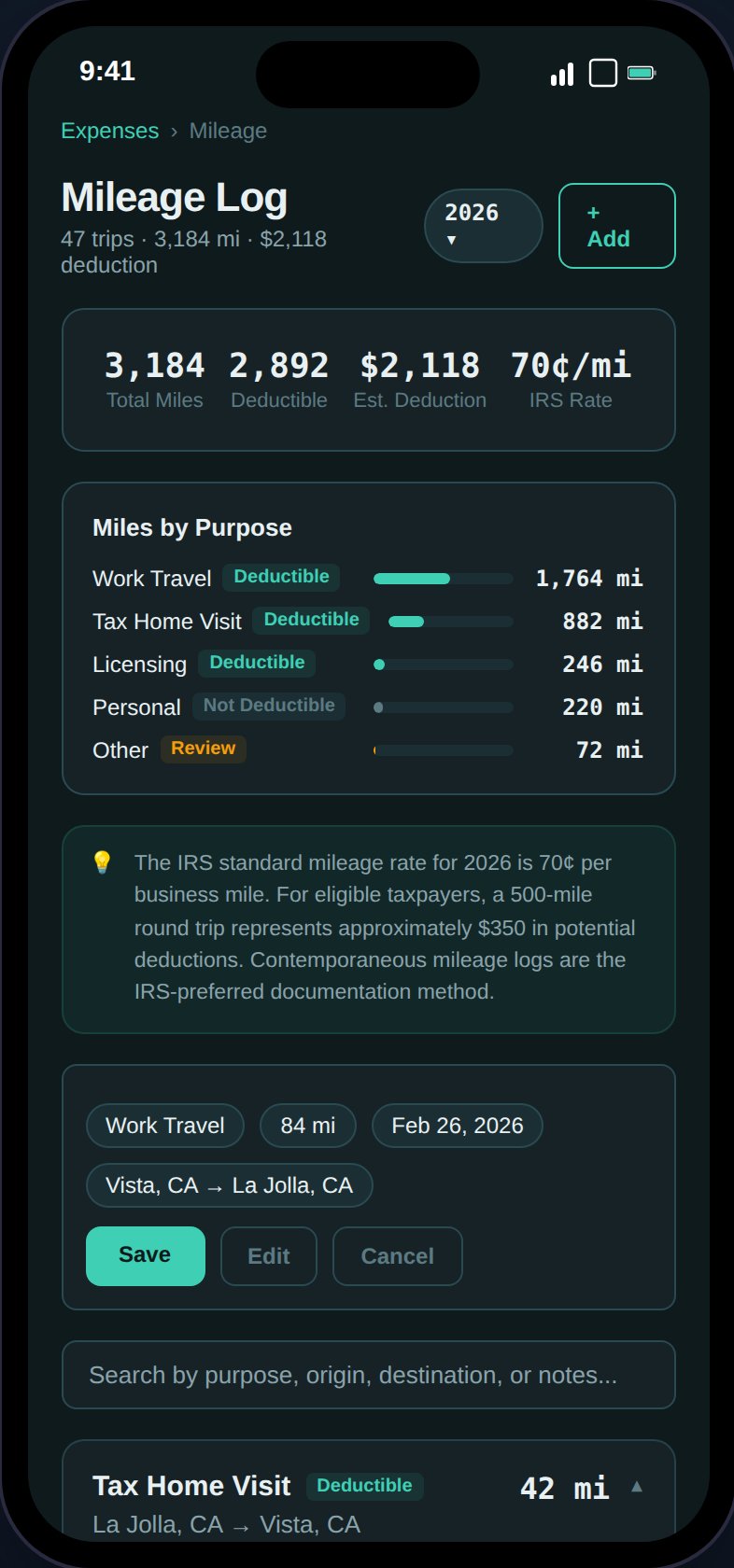
Log trips with purpose tracking, IRS rate calculations, and deductibility badges.
Logging a Trip
Tap the + button to open the mileage form. Fields:Trip Purposes
Each trip gets a purpose that determines its tax deductibility:The
personal purpose is for tracking total miles on your vehicle (useful for calculating business-use percentage) but is excluded from deduction calculations.IRS Standard Mileage Rates
TaxHomeBase uses the IRS standard mileage rate for deduction calculations:
Your deduction is calculated as:
deductible miles x rate per mile.
Summary Card
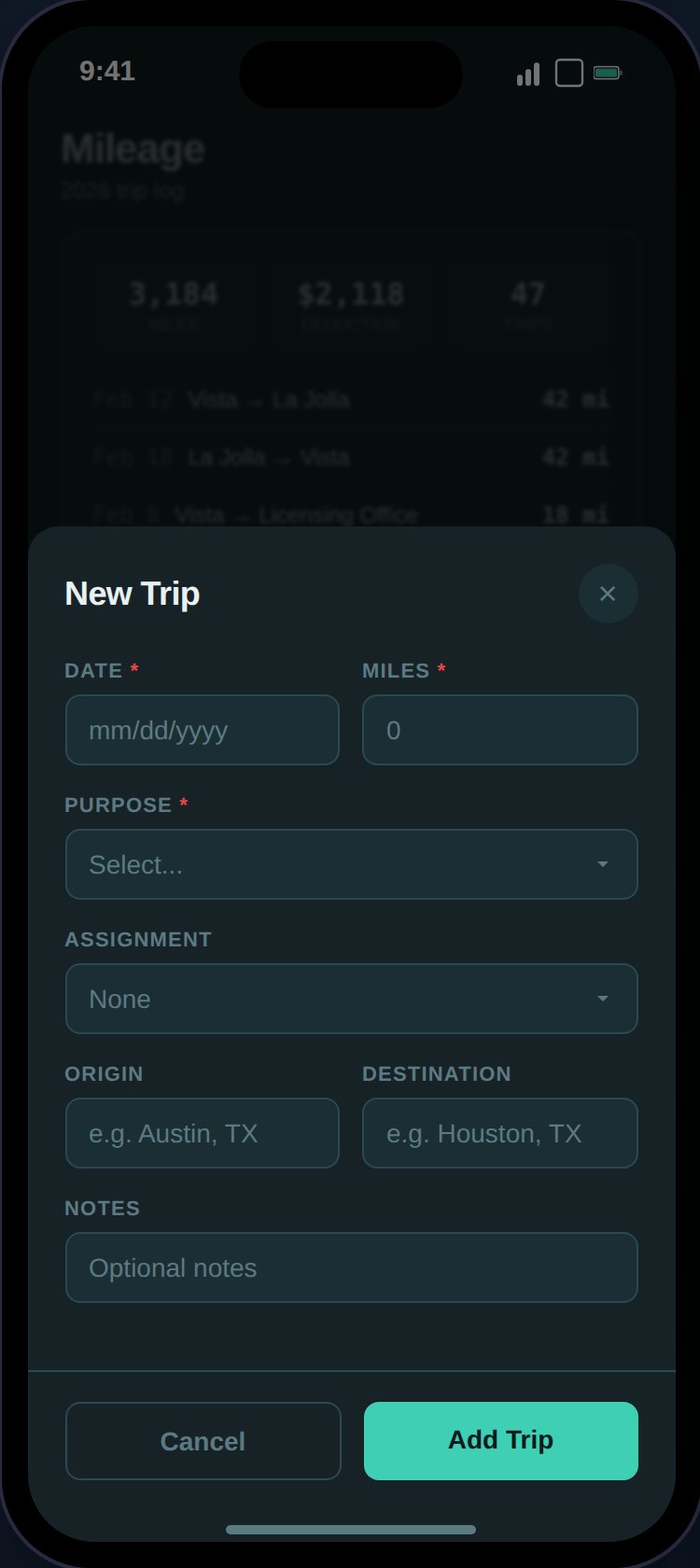
The mileage form captures date, miles, purpose, origin, destination, and optional assignment link.
- Total miles — All miles logged for the year
- Estimated deduction — Deductible miles x IRS rate
- IRS rate — Current year’s standard mileage rate
Deductibility Badges
Each trip card shows whether the trip is deductible based on its purpose. The mileage summary breaks down deductible vs. non-deductible miles and trips by purpose.Actions on Trip Cards
- Expand — View origin, destination, notes, and linked assignment
- Edit — Modify any field
- Delete — Soft delete with 5-second undo toast
- Duplicate — Open a pre-filled create form (handy for recurring routes)
Search and Filter
A client-side search bar filters trips by purpose, origin, destination, and notes. The year picker filters trips by year.Integration with Other Features
Mileage data flows into several other parts of TaxHomeBase:- Tax Estimate — Mileage deduction included in itemized total (1099) or tracked for state deductions (W-2)
- Assignment Profitability — Linked mileage counted in per-assignment expenses
- Tax Home Analysis — Visit mileage (tax_home_visit purpose) counted in tax home maintenance costs
- Export — Mileage summary row in PDF, dedicated “Mileage Log (CSV)” export option