> ## Documentation Index
> Fetch the complete documentation index at: https://docs.taxhomebase.com/llms.txt
> Use this file to discover all available pages before exploring further.
# Quickstart
> Get set up with TaxHomeBase in 5 steps.
Follow these steps to start protecting your tax-free stipends. The whole process takes about 10 minutes.
Sign up at [app.taxhomebase.com](https://app.taxhomebase.com) using your email address. TaxHomeBase uses AWS Cognito for secure authentication — you'll verify your email and set a password.
After signing in, you'll see the Dashboard with an onboarding checklist to guide you through setup.
Your tax home is the foundation of your tax-free stipend eligibility. Go to **Tax Home** and enter:
* **Address** — Your permanent residence (where you maintain ties)
* **Monthly rent** — What you pay to maintain the home (even while on assignment)
* **Voter registration and driver's license state** — IRS documentation ties
* **Last visit date** — The IRS expects regular visits (every 30 days recommended)
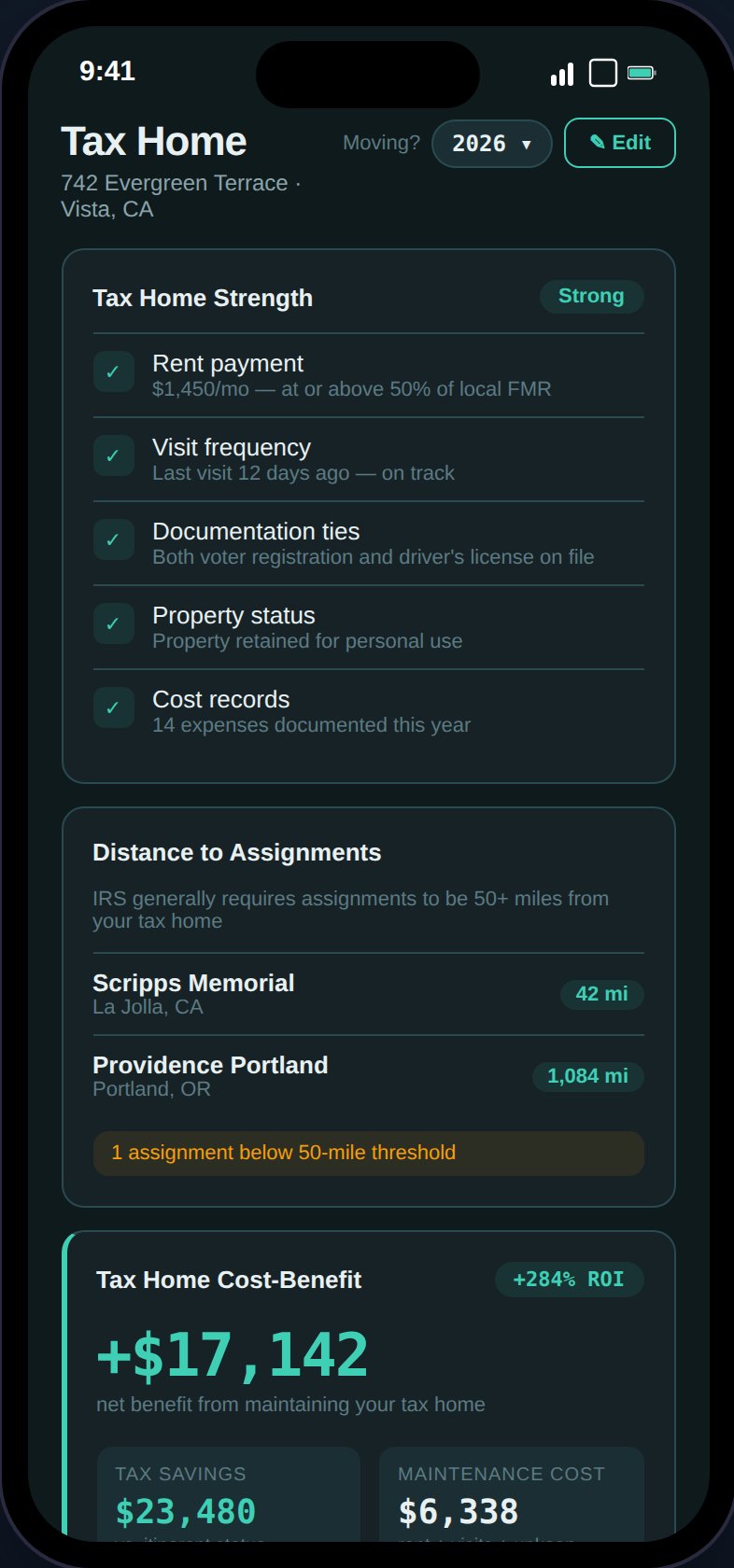 TaxHomeBase evaluates five factors — rent payment, visit frequency, documentation ties, property status, and cost records — and gives you a strength rating of **Strong**, **Moderate**, or **At Risk**.
The distance checker automatically verifies that each assignment is 50+ miles from your tax home, a common IRS threshold.
Upload supporting documents (lease agreements, utility bills) right away. These are your first line of defense in an audit.
Go to **Assignments** and tap the **+** button. Enter your contract details:
* Facility name, location, and state
* Start and end dates
* Base pay (weekly, pre-tax)
* Housing and M\&IE stipends (weekly)
* Any bonuses (sign-on, completion, referral)
Once added, each assignment card shows GSA per diem compliance, housing adequacy vs. local rent, stipend defense status, and estimated net profit after taxes.
Have a contract PDF? Use **Scan Contract** to auto-extract all 12 fields using AI. Supports PDF, JPEG, and PNG files up to 10MB.
Go to **Expenses** and add your first deductible expense. Common categories include:
* **Travel** — Flights, gas, tolls to/from assignments
* **Licensing** — State license fees, compact license costs
* **CE Credits** — Continuing education courses
* **Supplies** — Stethoscopes, scrubs, medical equipment
TaxHomeBase evaluates five factors — rent payment, visit frequency, documentation ties, property status, and cost records — and gives you a strength rating of **Strong**, **Moderate**, or **At Risk**.
The distance checker automatically verifies that each assignment is 50+ miles from your tax home, a common IRS threshold.
Upload supporting documents (lease agreements, utility bills) right away. These are your first line of defense in an audit.
Go to **Assignments** and tap the **+** button. Enter your contract details:
* Facility name, location, and state
* Start and end dates
* Base pay (weekly, pre-tax)
* Housing and M\&IE stipends (weekly)
* Any bonuses (sign-on, completion, referral)
Once added, each assignment card shows GSA per diem compliance, housing adequacy vs. local rent, stipend defense status, and estimated net profit after taxes.
Have a contract PDF? Use **Scan Contract** to auto-extract all 12 fields using AI. Supports PDF, JPEG, and PNG files up to 10MB.
Go to **Expenses** and add your first deductible expense. Common categories include:
* **Travel** — Flights, gas, tolls to/from assignments
* **Licensing** — State license fees, compact license costs
* **CE Credits** — Continuing education courses
* **Supplies** — Stethoscopes, scrubs, medical equipment
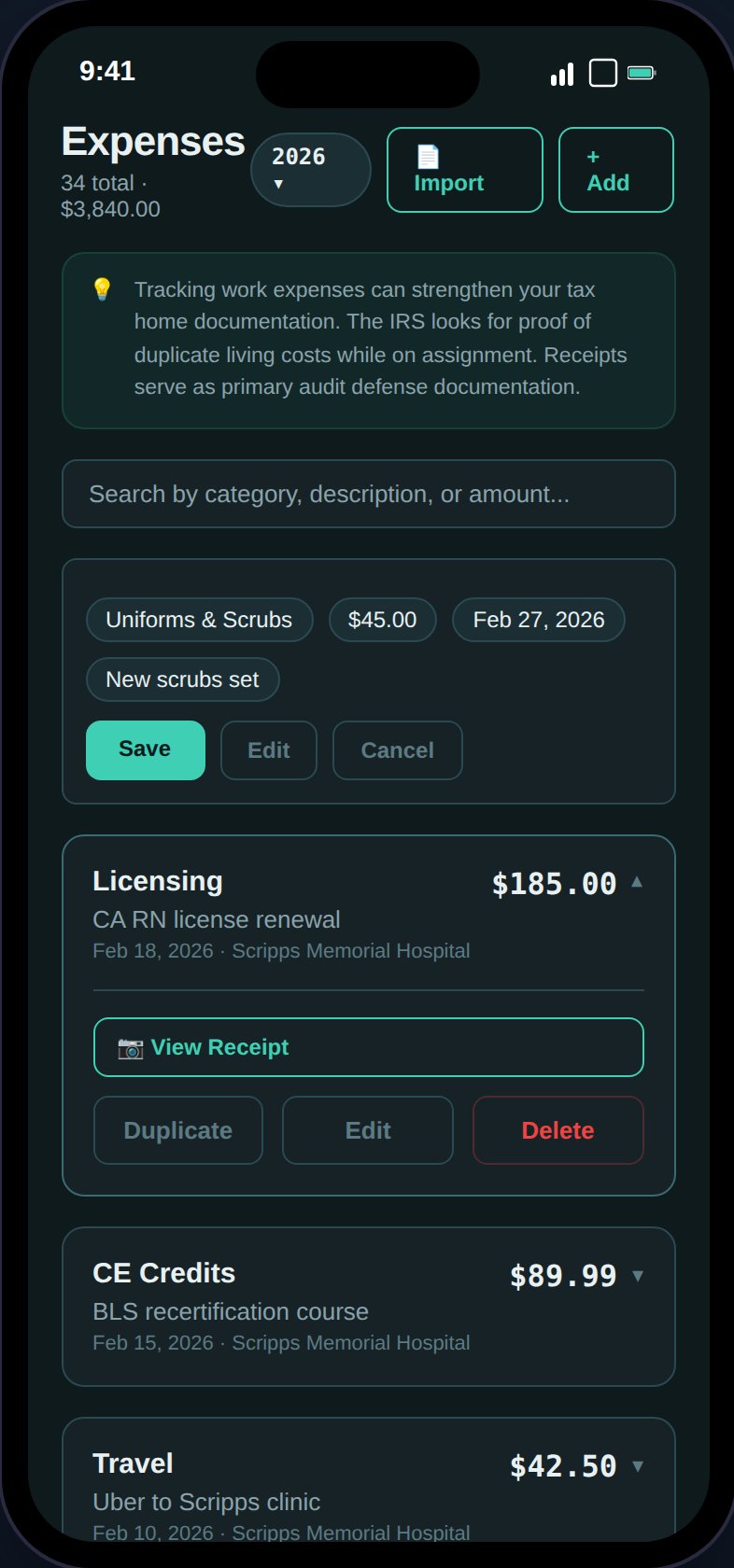 You can also scan a receipt photo to auto-fill the amount, date, and vendor, or import expenses in bulk from a CSV file. Attach receipt images for IRS substantiation — expenses over \$75 and all lodging require receipts.
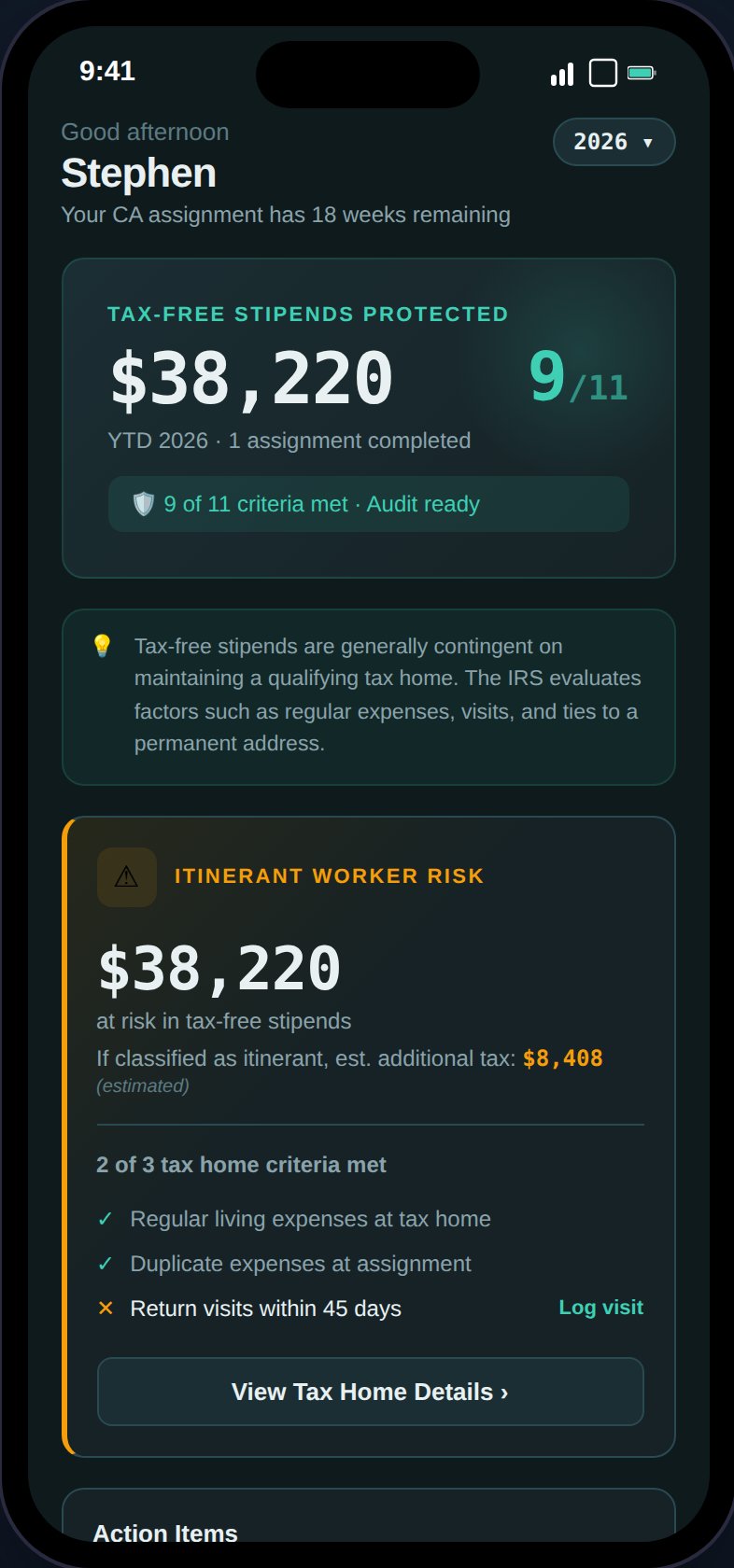
Return to the **Dashboard** to see your status:
* **Stipend Protection Banner** — Shows your YTD tax-free stipends and audit readiness score (X/11 criteria met)
* **Action Items** — Compliance alerts that need your attention (overdue visits, missing docs, GSA exceedances)
* **Visit Tracker** — Days since your last tax home visit with On Track / Due Soon / Overdue status
* **YTD Financial Summary** — Taxable income, tax-free stipends, expenses, and estimated take-home
You can also scan a receipt photo to auto-fill the amount, date, and vendor, or import expenses in bulk from a CSV file. Attach receipt images for IRS substantiation — expenses over \$75 and all lodging require receipts.
Return to the **Dashboard** to see your status:
* **Stipend Protection Banner** — Shows your YTD tax-free stipends and audit readiness score (X/11 criteria met)
* **Action Items** — Compliance alerts that need your attention (overdue visits, missing docs, GSA exceedances)
* **Visit Tracker** — Days since your last tax home visit with On Track / Due Soon / Overdue status
* **YTD Financial Summary** — Taxable income, tax-free stipends, expenses, and estimated take-home
 The onboarding checklist will track your progress through these steps and dismiss automatically once complete.
## What's next?
With your tax home, first assignment, and an expense logged, TaxHomeBase is already tracking your audit readiness. Here's where to go from here:
Deep dive into maintaining your tax home and understanding the strength score
Learn the 4 rules for keeping your stipends tax-free
Unlock tax estimates, state income tracking, contract comparison, and exports
Log work-related mileage for IRS deductions at the standard rate
The onboarding checklist will track your progress through these steps and dismiss automatically once complete.
## What's next?
With your tax home, first assignment, and an expense logged, TaxHomeBase is already tracking your audit readiness. Here's where to go from here:
Deep dive into maintaining your tax home and understanding the strength score
Learn the 4 rules for keeping your stipends tax-free
Unlock tax estimates, state income tracking, contract comparison, and exports
Log work-related mileage for IRS deductions at the standard rate